


Welcome to the Apilo Help Center.
Temu – creating offers
Contents
Introduction:
Before you start listing offers/products on Temu using Apilo:
- Create an account on Temu and configure it according to the service guidelines;
- Add your Temu account to Apilo according to the guide;
- Add at least 1 product (more information can be found in the guide: Import products https://apilo.com/pl/help/jak-stworzyc-wspolna-baze-produktow-w-apilo/).
Configuration on the Temu side:
Before you list your first product on Temu, you need to fully configure your seller account. This is not just about basic information, but also completing the details required by the EU General Product Safety Regulation (GPSR).
According to this regulation, you are obliged to provide detailed information regarding:
- Brands of the listed products;
- Manufacturer of these products;
- Responsible Person in the EU designated for your products.
Temu must verify and accept all this information before you can list any offer.
What do you need to remember when listing an offer on Temu?
- Description must not exceed 2000 characters.
- The offer title must not contain Polish diacritical letters (ż, ó, ź, ć).
- You can upload a maximum of 10 images, and their dimensions must be at least 800×800 px.
- The currency must match the market where you are listing the offer (PL – Zł).
- Marking the product as placed on the market after 13.12.2024 imposes the obligation to provide the manufacturer’s data and safety instructions.
- Temu requires the use of courier services that allow for tracking shipments. If you use a courier service that does not allow for tracking, shipments will be considered fraud or face delays, which will result in imposed restrictions.
- Temu is based on the prices net of the listed items – make sure you have the net price calculation options set correctly for offers in your sales channel configuration. If the price is not calculated, you will be asked to manually enter the net price in the offer.
Before you start adding offers, make sure that the following elements have been configured and approved by Temu:
- Shipping template – define delivery methods and times
- Brand – enter and submit brand data for verification
- GPSR Information – complete manufacturer and responsible person’s details according to EPR requirements
Creating listingsFirst, you need to synchronize the sales conditions (ownership policies, payments, categories, etc.) with Apilo. To do this, go to the tab: Sales > Temu > Dashboard > Configuration (in the top right corner) > Sales conditions > Synchronize (in the top right corner).Then go to the Sales tab → Temu → Create.Select at least one product and click the “Create” button – you can create up to 25 listings with one form.In the listing form, set the sales channel to Temu. This will display the visible policies for completion and the form tailored to net prices in Temu: By clicking on the “Description and photos” and “Features” tabs, you will expand additional elements for completion. The Features tab will be available after selecting a category.It is also necessary to complete the country of origin and delivery date for the product. Important!
Set the order fulfillment time to (1-2 days) and the transport time to 1-2 or 1-3 days.
– Fulfillment time – you choose in the form when creating a listing.
– Transport time – you configure in the shipping template settings.
Temu recommends setting maximum values (2 days fulfillment + 1-3 days transport), as it ensures a full operational buffer without negatively affecting the positioning of listings and the store.
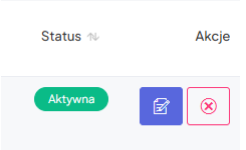
The estimated delivery time visible to the buyer is the sum of both values, calculated automatically by Temu. The buyer also sees the actual average delivery time of your store, calculated based on historical order fulfillment metrics.The listing will be sent to Temu for verification of the entered data: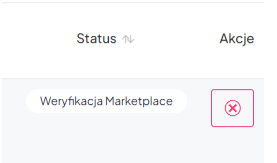 After verification, the status will automatically change to active:
Managing offers and editing
You can enable automatic status updates so that quantities in Temu change based on the availability of the related product and sales on other platforms.
Remember that frequent price changes can negatively affect the visibility of your products on the platform. To maximize sales and achieve the best results, we recommend setting competitive prices from the very beginning and keeping them stable over time.
At any moment you can edit active offers on the Temu platform. Remember to make any changes to the offers directly from the Apilo level. To edit an offer:
- go to the Sales > Temu > Active tab;
- select the offer you want to edit from the list;
- in the upper right corner click: Edit;
- make changes via the auction form and click “Save”;
- the offer will be sent for verification by the Temu platform.
This guide has been translated using AI-powered tools.
Still need help?
Talk to a support agent
