


Welcome to the Apilo Help Center.
PrestaShop – export products to the store using a CSV file
Contents
What is the purpose of and how does the product export to CSV Presta work?
The method involves downloading a CSV file with products from Apilo and then uploading the file in the Prestashop panel. For integration of PrestaShop with Apilothe following attributes will be added along with the product:
- title, description, short description;
- stock status (quantity), price, VAT rate;
- product code (SKU), EAN;
- images;
- status (active/inactive);
- unit;
- manufacturer;
- weight.
You can generate a CSV file with selected products, or a bulk file containing all products.
How to download a CSV file with selected products from Apilo (up to 2000 products)?
1. Go to the Goods and Services tab -> Export: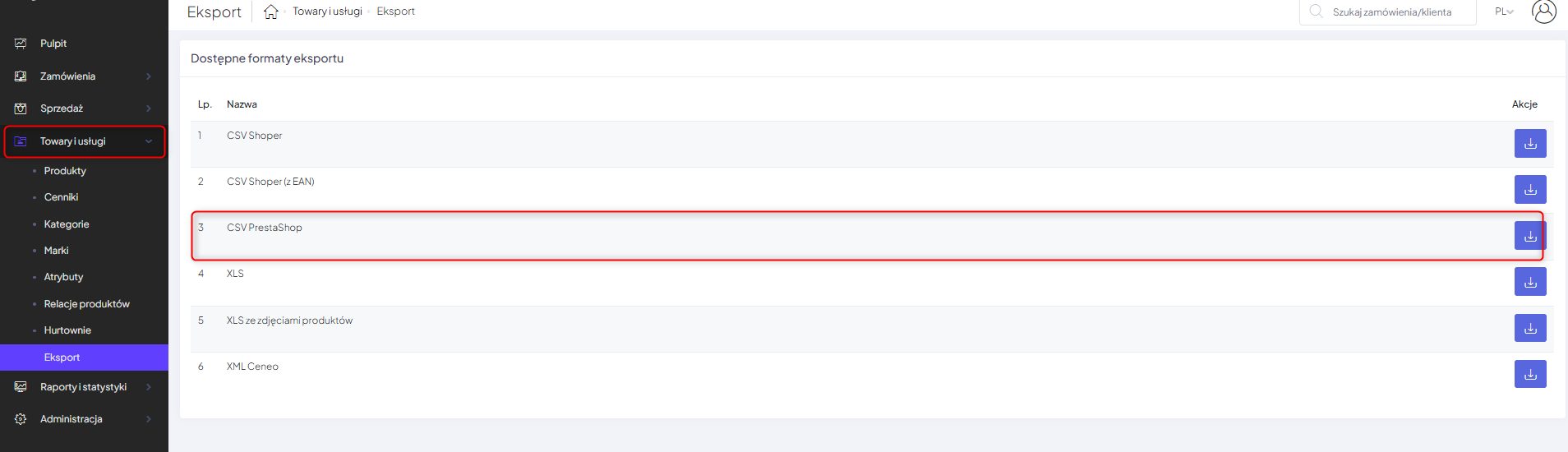 2. Select the products you want to import into PrestaShop. To display more records on one list, it is worth using the option in the bottom right corner of the list Show — Entries. You can download up to 2000 products at one time.
3. Click the Export button and select CSV – PrestaShop:

To download a CSV file with all products from the Apilo warehouse
1. Go to the Goods and Services tab -> Export:
2. Click the Export button next to CSV PrestaShop.
3. Select:
- Warehouse from which products are to be downloaded;
- Product status: Active/Inactive.
4. Click Export.
How to add products in a PrestaShop store?
To upload products to your PrestaShop store, follow the guide on the official PrestaShop website https://doc.prestashop.com/display/PS16/Import+CSV.
Enable quantity/price/resumption synchronization:
After uploading the CSV file with products to the store, enable synchronization between the Apilo inventory (Goods and Services > Products) and the products added to Presta.
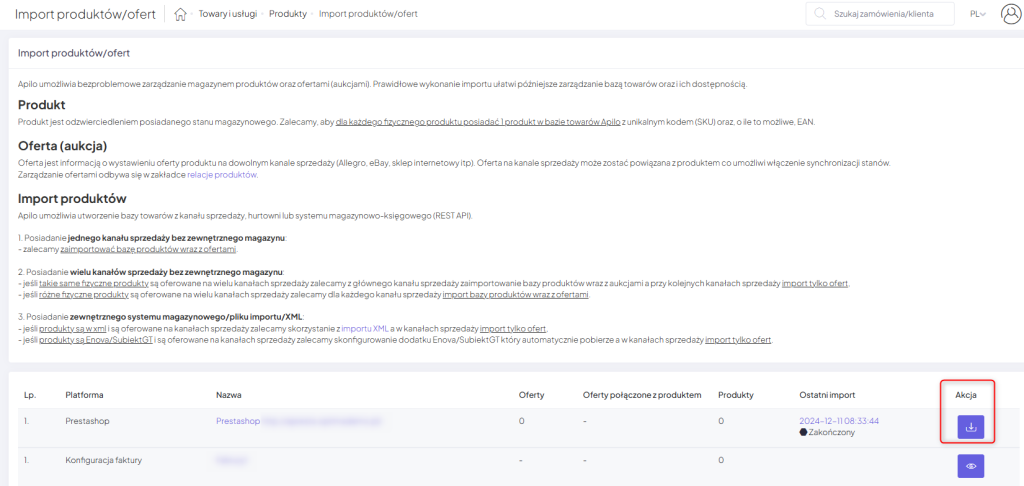
1. Go to the Apilo panel to Goods and Services > Products > Import button in the top right corner > Platforms.
2. Click on the Import button next to Presta:
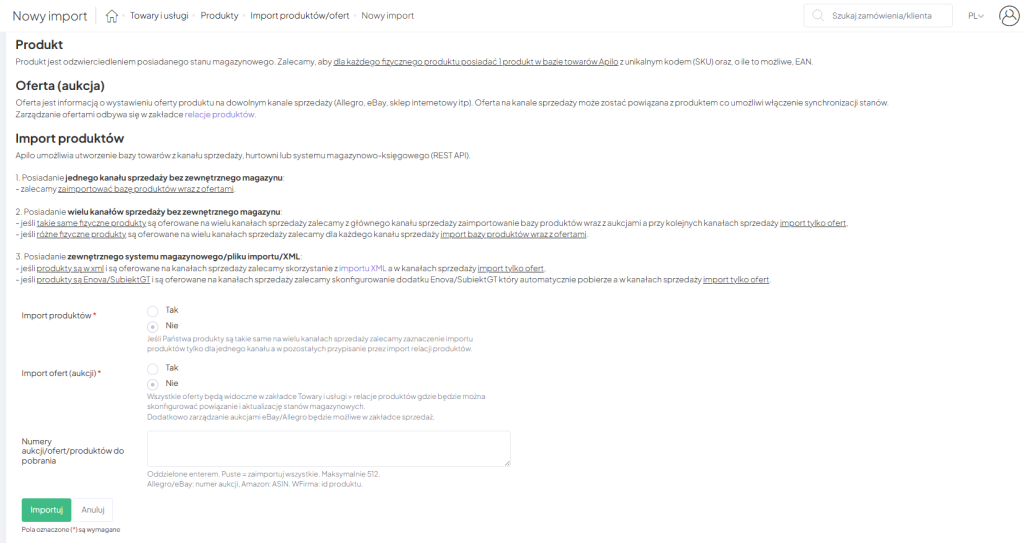
3. In the form, select:
- import products: no;
- import auctions/offers: yes.
4. Wait until the import finishes. You can check the status in Administration > Tasks.
5. When the import is complete, go to Goods and Services > Product relationships.
6. Select the filter:
- Sales channel > Presta;
- Linked > Yes;
- Status > Any.
7. Select all records. You can use the option in the bottom left corner of the list Show — Entries.
8. Use the Automatic status update button – if the quantity in the Apilo inventory changes, the product will be updated in Presta.
This guide has been translated using AI-powered tools.
Still need help?
Talk to a support agent
