


Welcome to the Apilo Help Center.
Connection with TikTok Shop
Contents
Available integration functionalities for TikTok Shop:
- Full authorization – secure connection with the TikTok Shop API using the OAuth2 protocol.
- Support for multiple EU markets – integration available for multiple markets. Each market configured as a separate sales channel.
- Order import – automatic retrieval of orders from TikTok Shop into the Apilo system.
- Cancellation handling – synchronization of cancellation status from TikTok Shop to Apilo.
- Cancellation handling – the possibility of canceling orders from the Apilo level and automatic synchronization of cancellations with TikTok Shop.
- Payment status update – payment status information sent from TikTok Shop to Apilo.
- Shipping information update – transferring tracking numbers and courier data from Apilo to TikTok Shop.
- Shipping method mapping – matching shipping methods between TikTok Shop and Apilo.
- Offer import – the ability to download offers from TikTok Shop to Apilo.
- Offer update – editing prices and stock levels.
- Downloading the category tree and attributes.
- Creating products on TikTok Shop from the Apilo level.
- Product editing – updating descriptions, attributes, statuses.
- Activating and deactivating offers.
- Uploading images.
- Compliance with GPSR – retrieving policies from TikTok Shop (Manufacturer, Responsible Person) and assigning them to offers when listing products.
Configuration on the TikTok Shop side: To integrate Apilo and TikTok Shop, you need to have an active account on the TikTok Shop sales platform. You can create an account on the site: link.
Note! If sales occur on several TikTok Shop domains, you will need to add multiple integrations in Apilo, separately for each country.TikTok requires that the order status changes to “Shipped” within 48 hours of purchase. This means the package must be physically scanned by the courier. Delays may result in order cancellation, refunds to the customer, and penalty points for the seller.
Configuration on the Apilo side:
Log in to Apilo as an administrator and go to the Administration > Sales Channels tab. From the list of available stores, search for “TikTok Shop” and click the button: “Add”.
Then fill out the form:
- Name– Any name that allows you to identify the sales channel.
- Alias– A 2-letter abbreviation from which orders from this channel will start, e.g., TI.
- Region– The market on which you conduct sales.
- Store– Select the store from which you want to fetch orders and operate products(selecting a store is possible after authorization). If sales occur on several TikTok Shop domains, you will need to add multiple TikTok Shop integrations in Apilo, separately for each country.
- Order item import strategy– Choose an order item importing strategy. TikTokShop delivers items separately:

- Import orders unrelated to the selected warehouse– If you choose “Yes”, orders will be taken from all warehouses of the store.
- Types of fulfillment for imported orders– Select the types of fulfillment that should be imported into Apilo.
- Warehouse– Select a warehouse within the chosen store. If you do not select a warehouse, the system will save the first available one.
- Client area– Should a link be generated for the client with a preview of current order information? The link can be used in message templates to buyers.
- Pricing– advanced pricing management module. Additional configuration is necessary to enable, check the guide.
- Email address for seller notifications– Enter the email address if you want to receive a notification about each order that appears in Apilo. Without providing it, the seller notification option will not be activated.
- Default comment for the shipment– To facilitate the identification of shipments, set the comment label generated for orders from this sales channel. Use the available variables.
- Minimum stock level– Should Apilo resume/end auctions/offers when the stock level is below a specific quantity for the sales channel? If so, fill in the expected maximum quantity.
- Maximum stock level– Should Apilo lower quantities on auctions/offers? If so, fill in the expected maximum quantity.



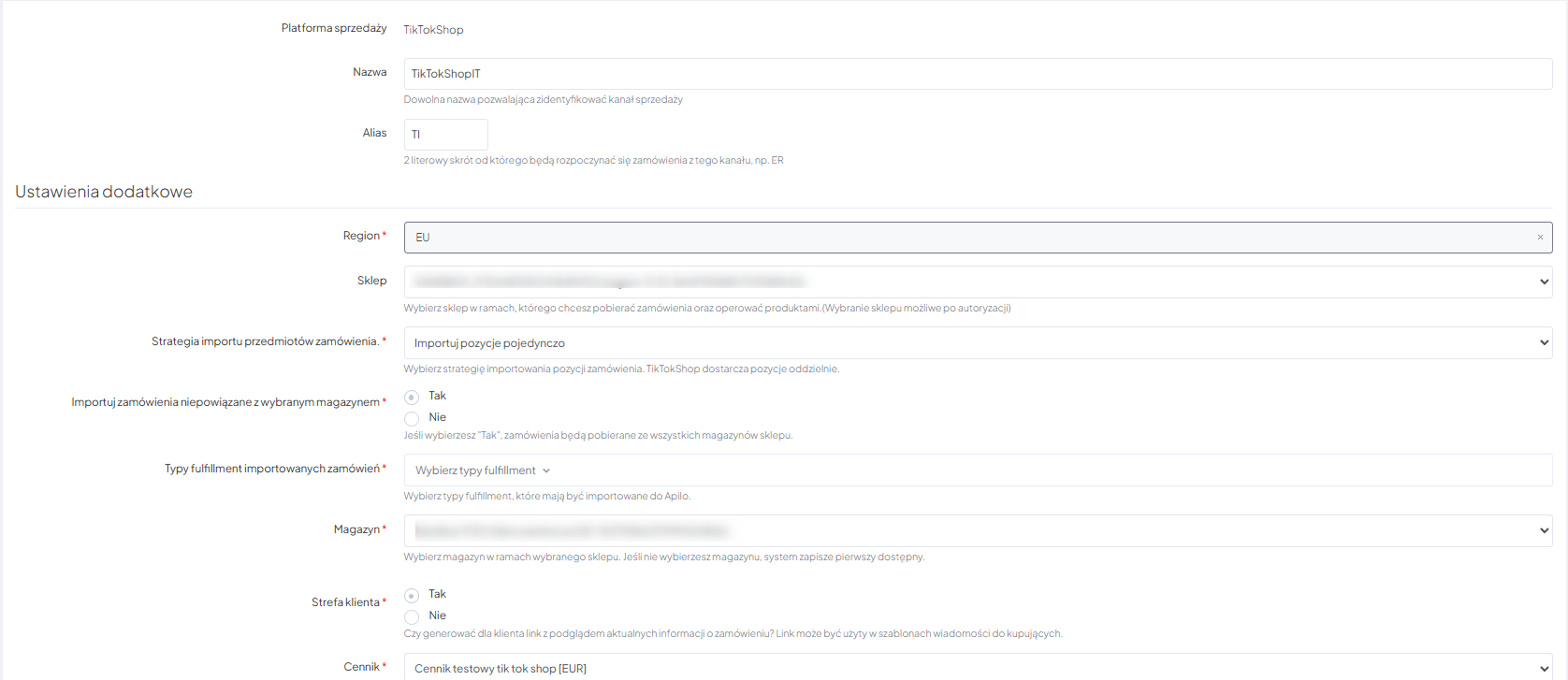
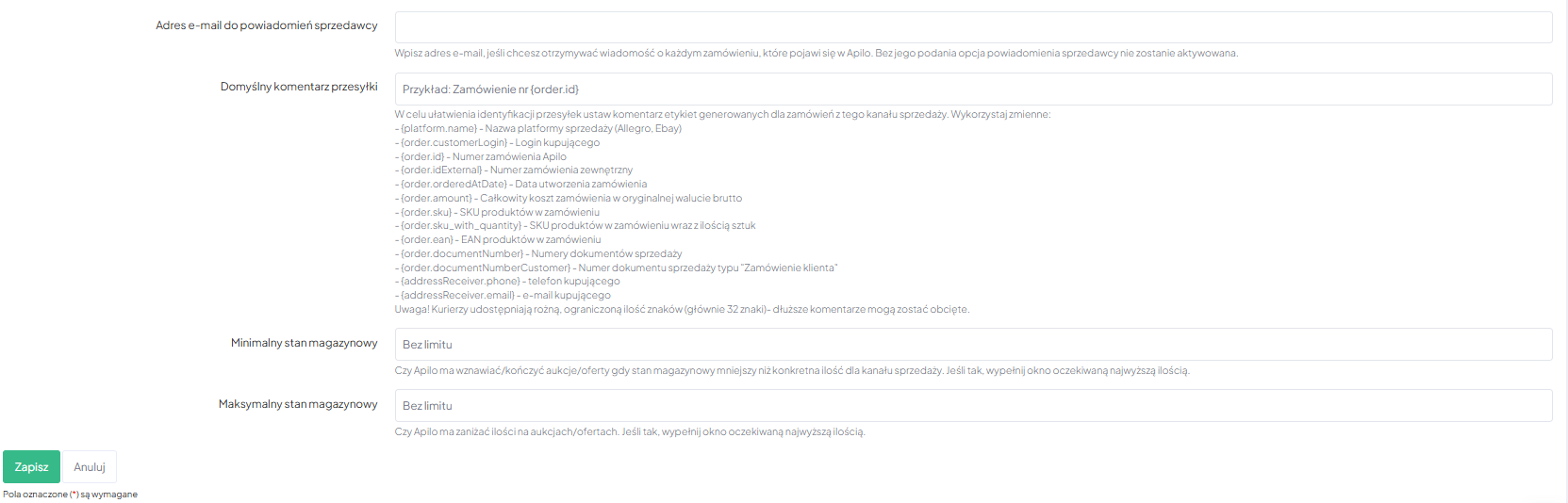
Save the form.
An unauthorized message will appear:

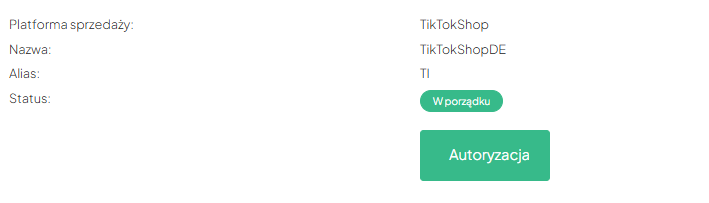
Click the “Authorization” button. You will be redirected to a dedicated page for authorization. After successful authorization, the following message will appear:
Additional configuration:
To proceed with further configuration of the sales channel, go to the tab: Administration -> Sales Channels -> TikTok Shop – click on the name of the connected account.
Besides previous settings, you will also find here:
- Automatic tasks – you can configure any number of them.
- Shipping connections – match delivery methods from TikTok Shop to carriers connected to Apilo, so you can see the mapped shipping method on the orders list. You can find more information about this in the guide.
- Status connections – synchronization of cancellation status from TikTok Shop to Apilo.
- Product import and offer import – allows for a quick addition of products to the Apilo warehouse based on the platform and offers for their management.
Remember that the offer refers to products listed on the sales platform. By importing offers to Apilo, you download information about which products are currently for sale.
Fill out the form:- product import: Yes
– will create stock items in Goods and Services > Products - offer import: Yes
– connects the offer to the stock items, meaning information that the said products are currently for sale.
- product import: Yes
You can check the status in Administration > Tasks.
You can find more information about importing/product relationships and status synchronization in guides concerning:
- Shipments to the sales channel – enable this option to send tracking numbers generated in Apilo to orders in the TikTok Shop channel.
- Statuses for the sales channel– the possibility of canceling orders from the Apilo interface and automatic synchronization of cancellations with TikTok Shop.
This guide has been translated using AI-powered tools.
Still need help?
Talk to a support agent
