


Welcome to the Apilo Help Center.
Connection with the Apaczka broker
Contents
Integration with Apaczka by Alsendo:
Apaczka is part of an international group Alsendo.
Its main advantages are:
- combining the services of many carriers in one place, which simplifies the shipping process;
- cooperation with many leading courier companies such as DPD, UPS, Pocztex, DHL, and others. This allows for price comparison and selecting the most advantageous option for your shipment without having to switch between different websites;
- handling both domestic shipments (including standard packages, envelopes, pallets, and non-standard shipments) as well as international shipments to over 150 countries;
- additional options such as cash on delivery, shipment insurance, document returns, or delivery at a specific hour.
Configuration in the Apaczka panel:
To integrate Apilo with the Apaczka broker, you need to have an account set up on the Apaczka service and generate an integration key.
Adding a courier in Apilo is an integration with a given system and does not create an account with the respective broker.
Generating the integration key:
- Log in to the service apaczka.pl;
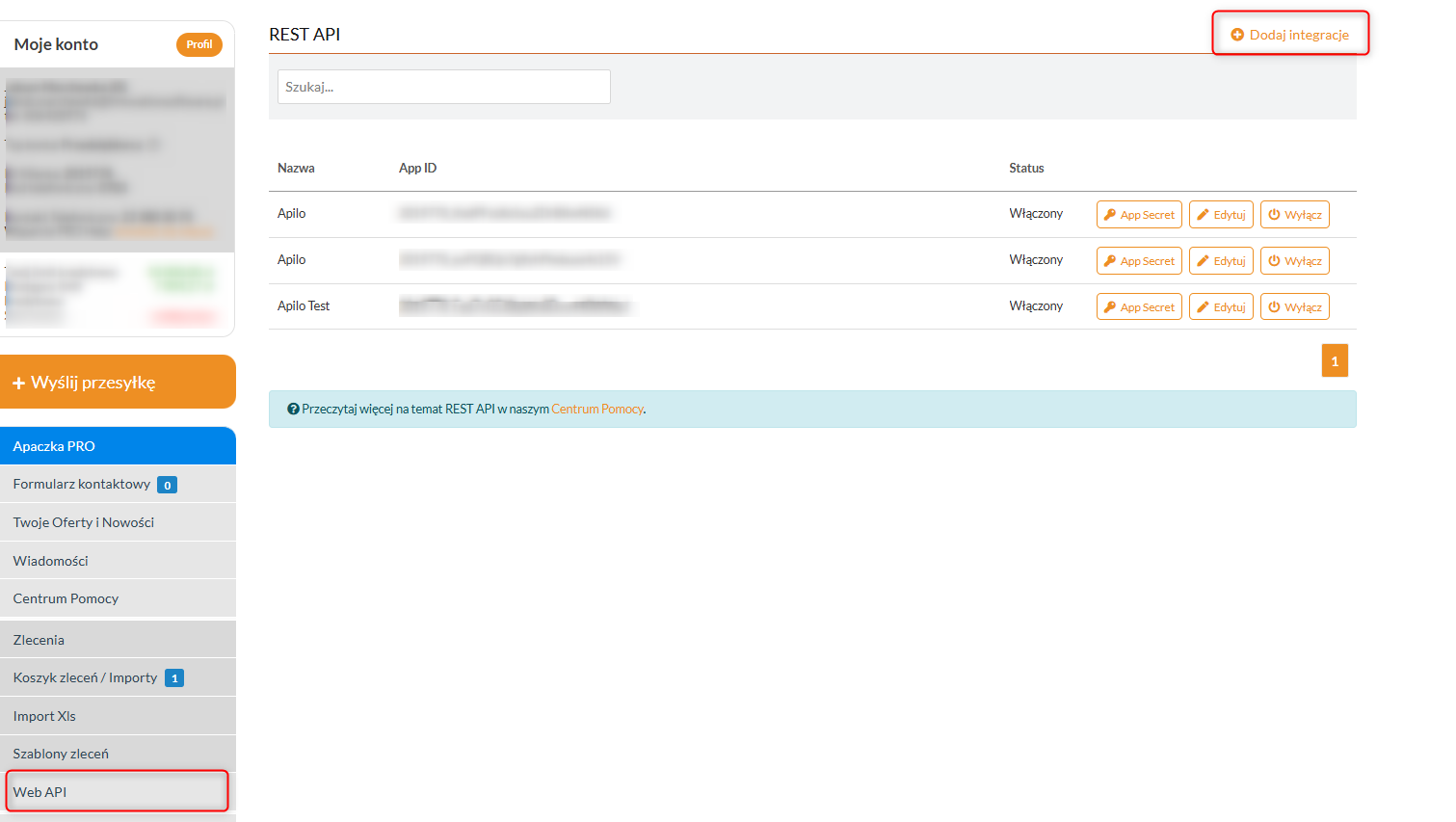
- In the client panel, select the WEB API tab from the menu on the left side;
- Click the “Add integration” button:

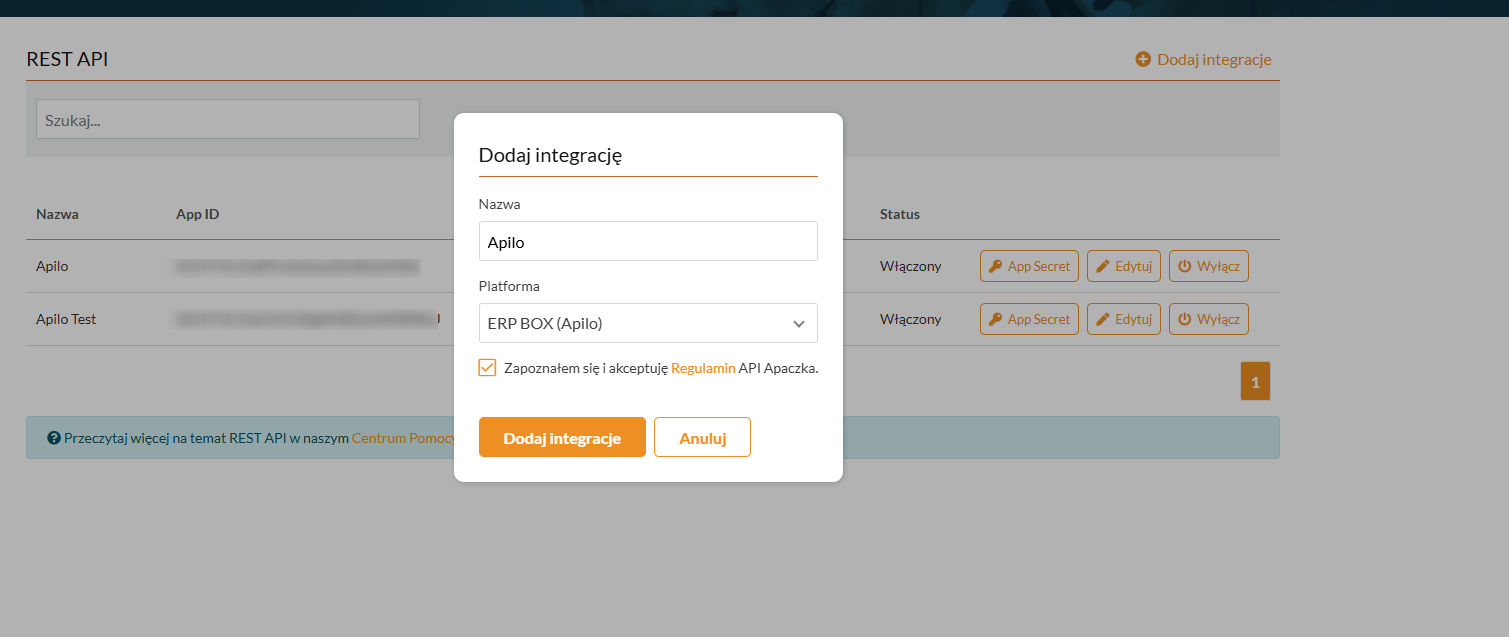
- A window will appear to generate a new API. For the integration name, enter any string, e.g., Apilo. In the platform field, enter ERP BOX (APILO);
- Click the Add integration button:

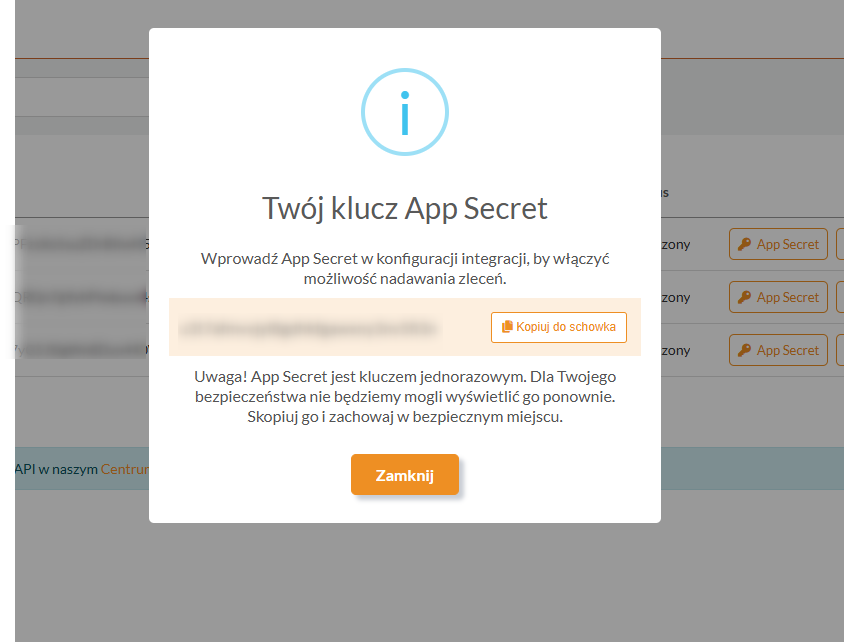
- A window with the API key will appear:

- Enter the generated data into Apilo.
Configuration in the Apilo panel:
- log in to your Apilo account as Administrator;
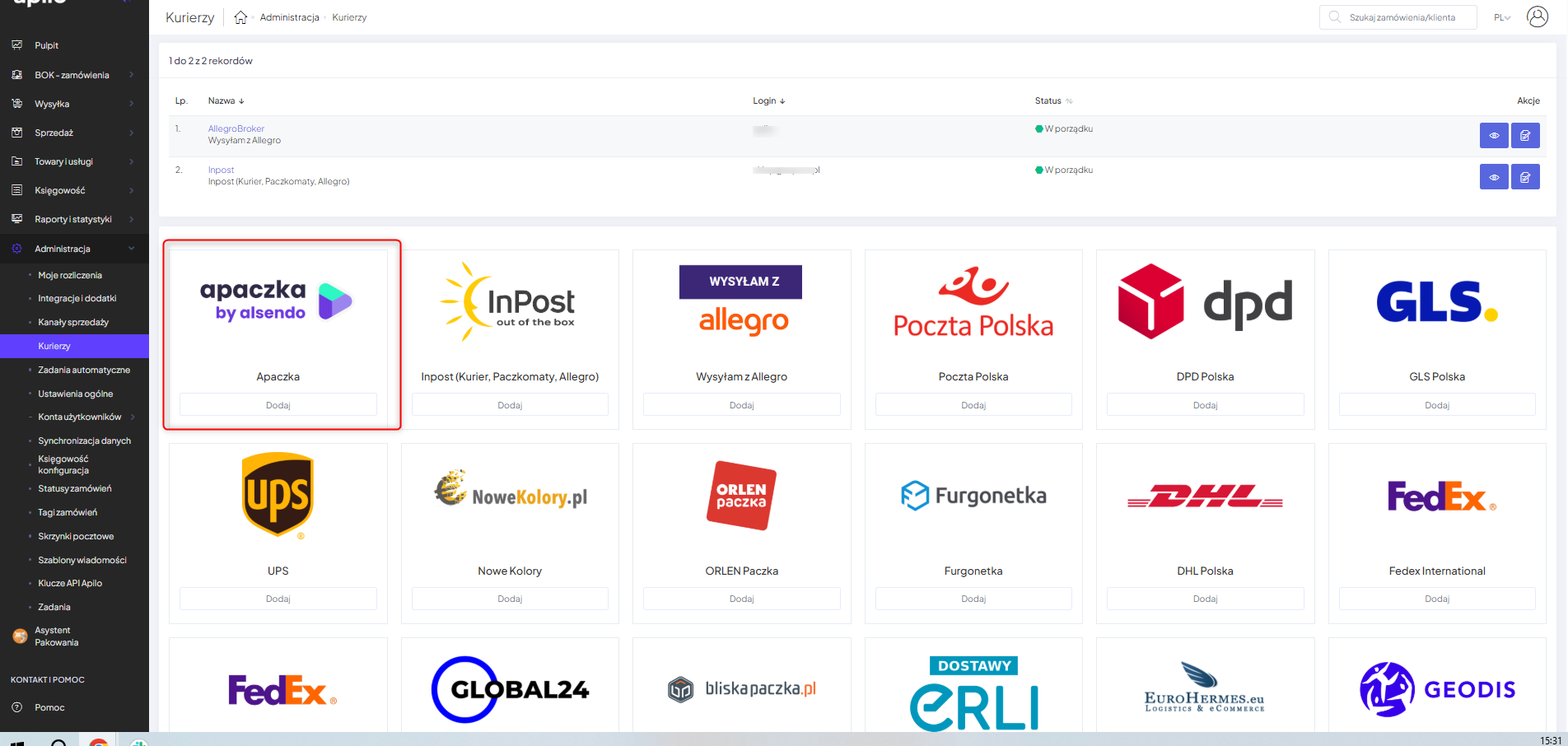
- go to: Administration > Couriers and select Apaczka by Alsendo from the list of available couriers:

- fill out the form and click the button Save:


- Apilo will check if the data is correct and display a summary message indicating the completion of the operation:



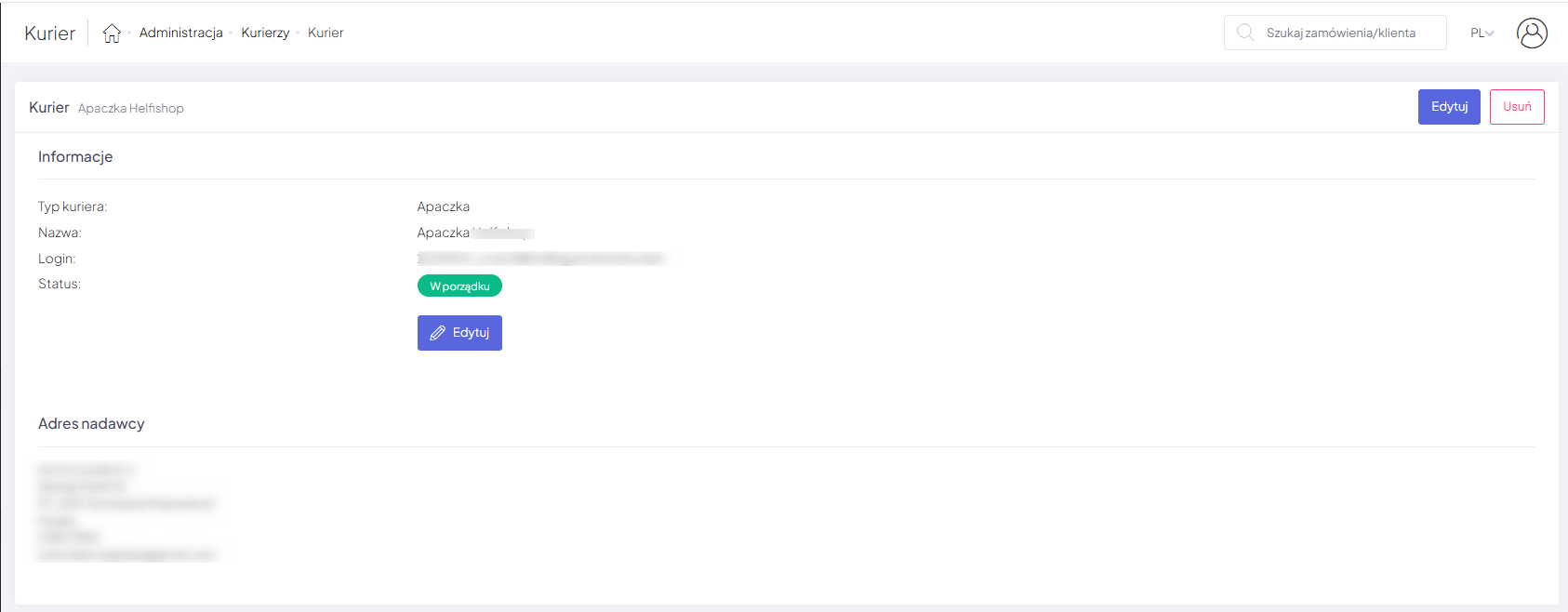
Further steps:
Automatically set the assignment of the Apaczka broker to orders, thereby generating a label in Apilo; the delivery method in the shipment form will fill in automatically:
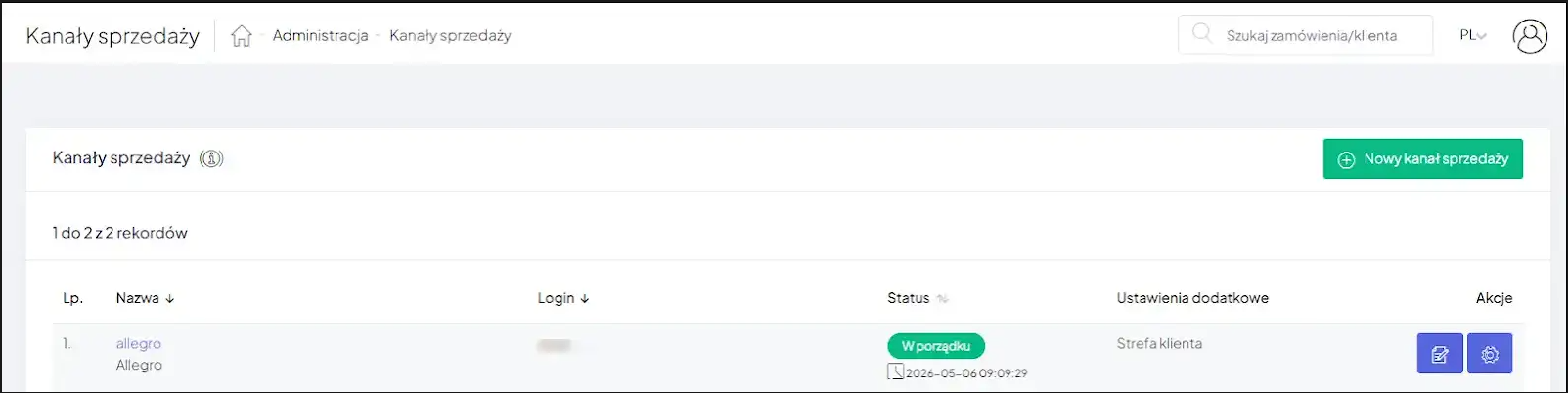
- Go to: Administration > Sales Channels;
- Click the name of the sales platform:

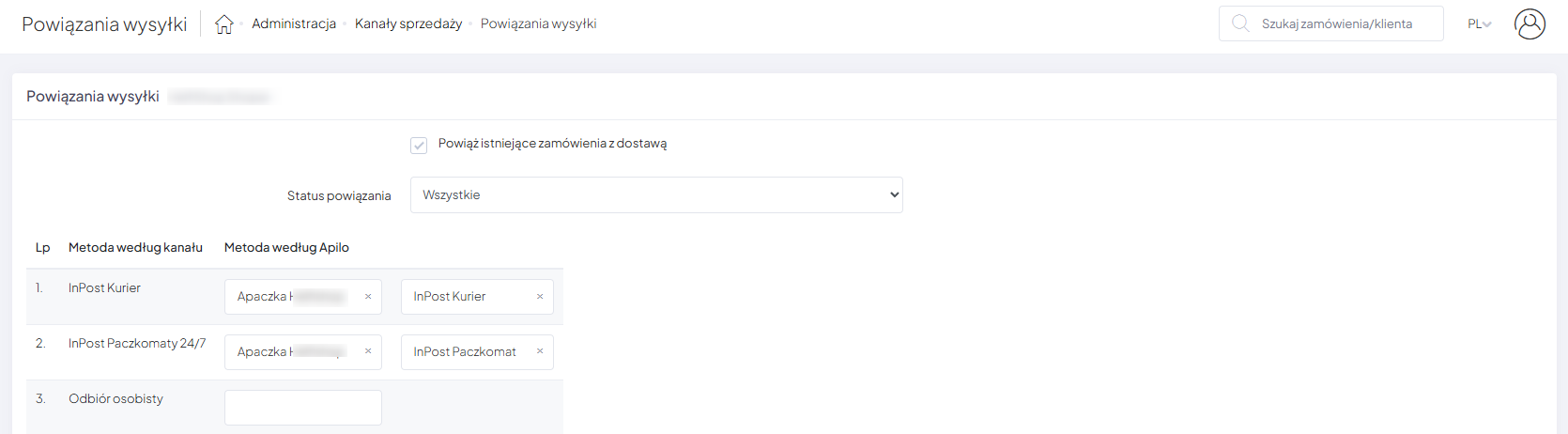
- Find the option Shipment Link on the list and click the button Configure:

- Search for those methods for which you want to generate labels with the Apaczka broker:

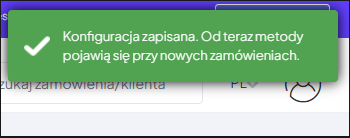
- Apilo will display a summary message indicating the completion of the operation:

- Repeat the configuration Link Shipments for other sales platforms added to Apilo.

If several courier integrations are connected to Apilo, the system automatically assigns the main sender’s address for all couriers. If you want to use multiple different shipping points, duplicate the existing address in the Sender’s Address field and then edit the copy:
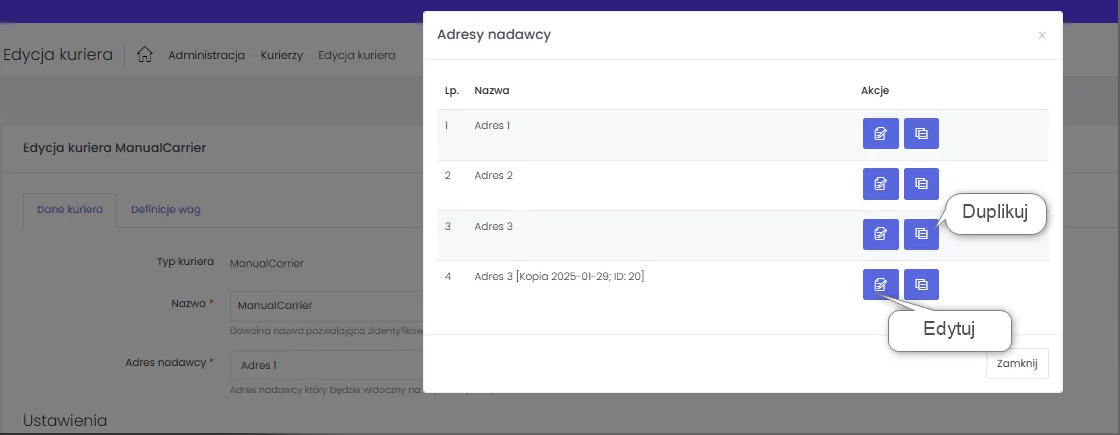
The list of sender addresses only needs to be added once.
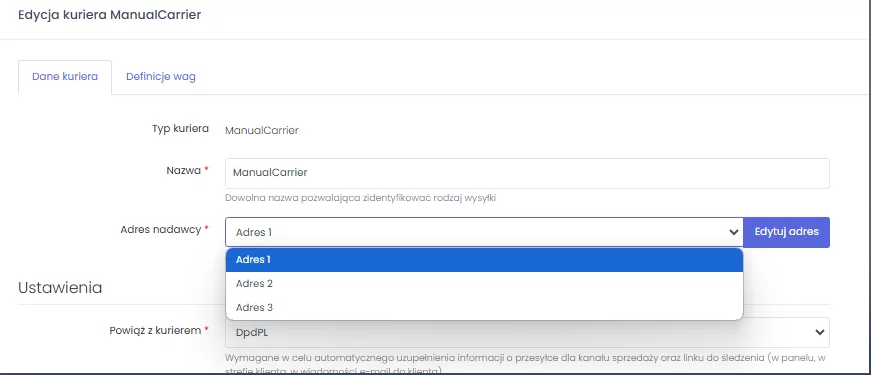
When adding another / editing an existing integration, you can choose the sender address used for it from the previously added addresses on the list:
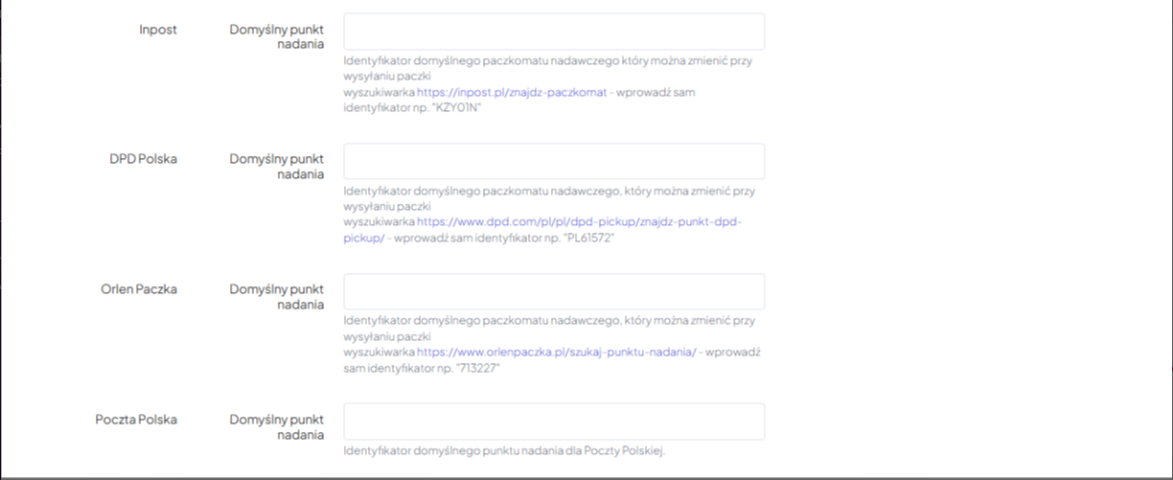
Additionally, for Inpost, DPD Poland, Orlen Paczka, Polish Post you can set a default drop-off point:
This guide has been translated using AI-powered tools.
Still need help?
Talk to a support agent
