


Welcome to the Apilo Help Center.
Connection with DHL Poland courier
Contents
Obtaining access data from DHL:
To integrate Apilo with the DHL courier in Poland, you need to log in to DHL24, select the option contact and fill out the contact form:
- Category: WebAPI – obtaining access;
- Title (example): Request for access to WebAPI;
- Message (example): “Good day, please send the access data for WebAPI to the production server”.
In response to the email address of the DHL24 account, a message with the data that should be entered in Apilo will be sent:

Configure the DHL courier in Apilo:
1. Log in to your Apilo account as an administrator.
2. Go to: Administration > Couriers and from the list of available couriers, select DHL Poland by clicking on the “Add” button:
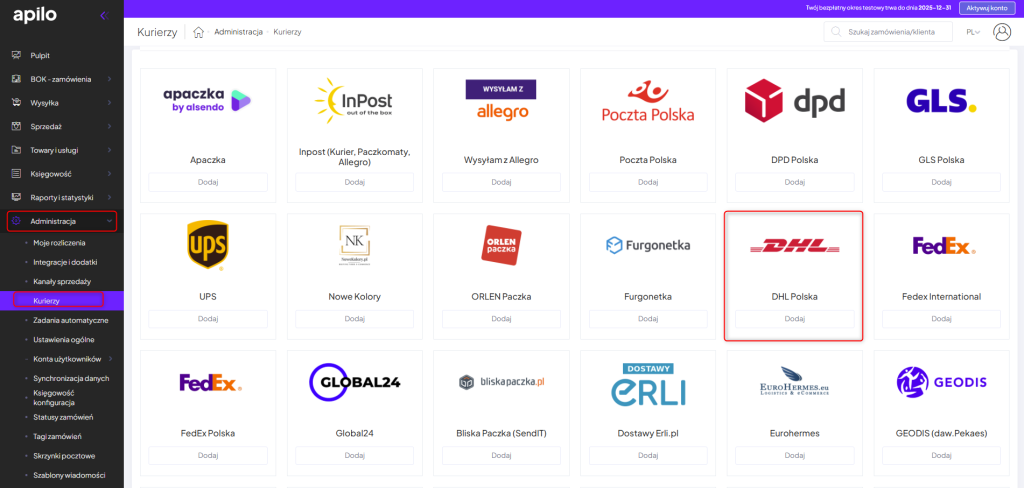
3. Fill out the form:
- name – any name (description) of the account;
- sender address – sender’s information appearing on the label;
- login: API login received in the message from the representative;
- SAP customer number: if in doubt about which number it is, please contact your DHL representative;
- password: API password received in the message from the representative;
- Default dimensions of the shipment and Default contents of the shipment – enter if you want the data to be automatically filled in the form;
- label type: format of data that will be retrieved when printing the shipment confirmation;
- Permanent pickup – check if you have an agreement for the regular pickup of packages in your contract;
- Automatic insurance value filling – check if you want the insurance value to be automatically filled with the order value;
- Multi-package handling – check if you want/are able to handle multi-packages:
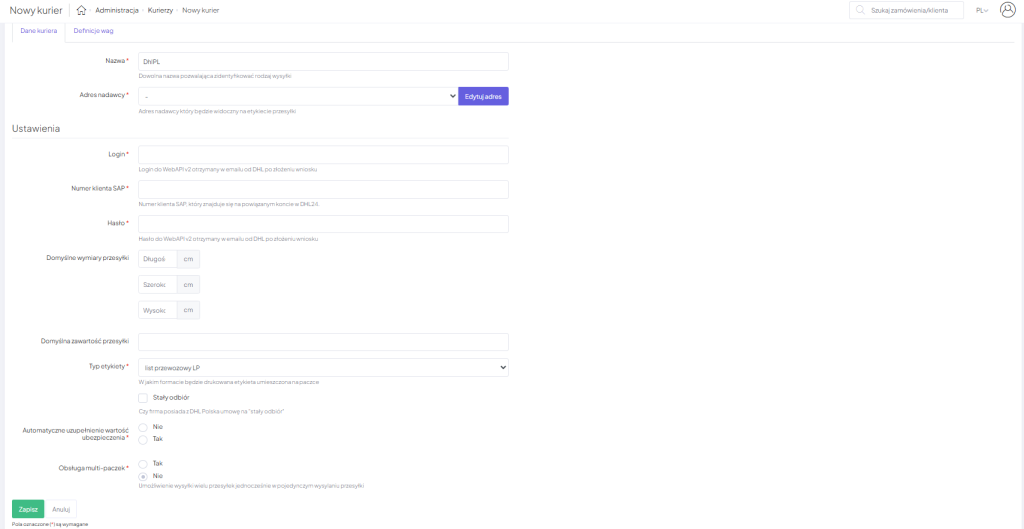
4. After saving the form, Apilo will verify the entered data and inform you of the connection status. In case of an error, please check the accuracy of the data. For international packages, DHL Polska does not allow printing the label as a “transport document LP”. If this option has been selected, the system will print a “BLP label”.
Many shipping points:
If several courier integrations are connected to Apilo, the system defaults to assign the main sender’s address for all couriers. If you want to use multiple different shipping points, in the sender’s address editing field, duplicate the existing address and then edit the copied position:

The list of shipping addresses only needs to be added once.
When adding another / editing an existing integration, you can select the sender’s address used for it from the previously added addresses on the list:

We recommend contacting your account manager before starting international shipments in order to:
- verify available services (e.g., Connect / Connect Plus),
- establish the rules for billing multi-package shipments,
- confirm any potential additional costs.
This guide has been translated using AI-powered tools.
Still need help?
Talk to a support agent
