


Welcome to the Apilo Help Center.
Connection with DHL (Germany)
Contents
To perform integration of Apilo with DHL Germany you need to:
- log in to your Apilo account as an administrator;
- go to: Administration > Couriers and select DHL Germany from the list of available couriers by clicking ‘Add’;
- to proceed, it is necessary to add a new courier > DHL DE, entering data such as the following:
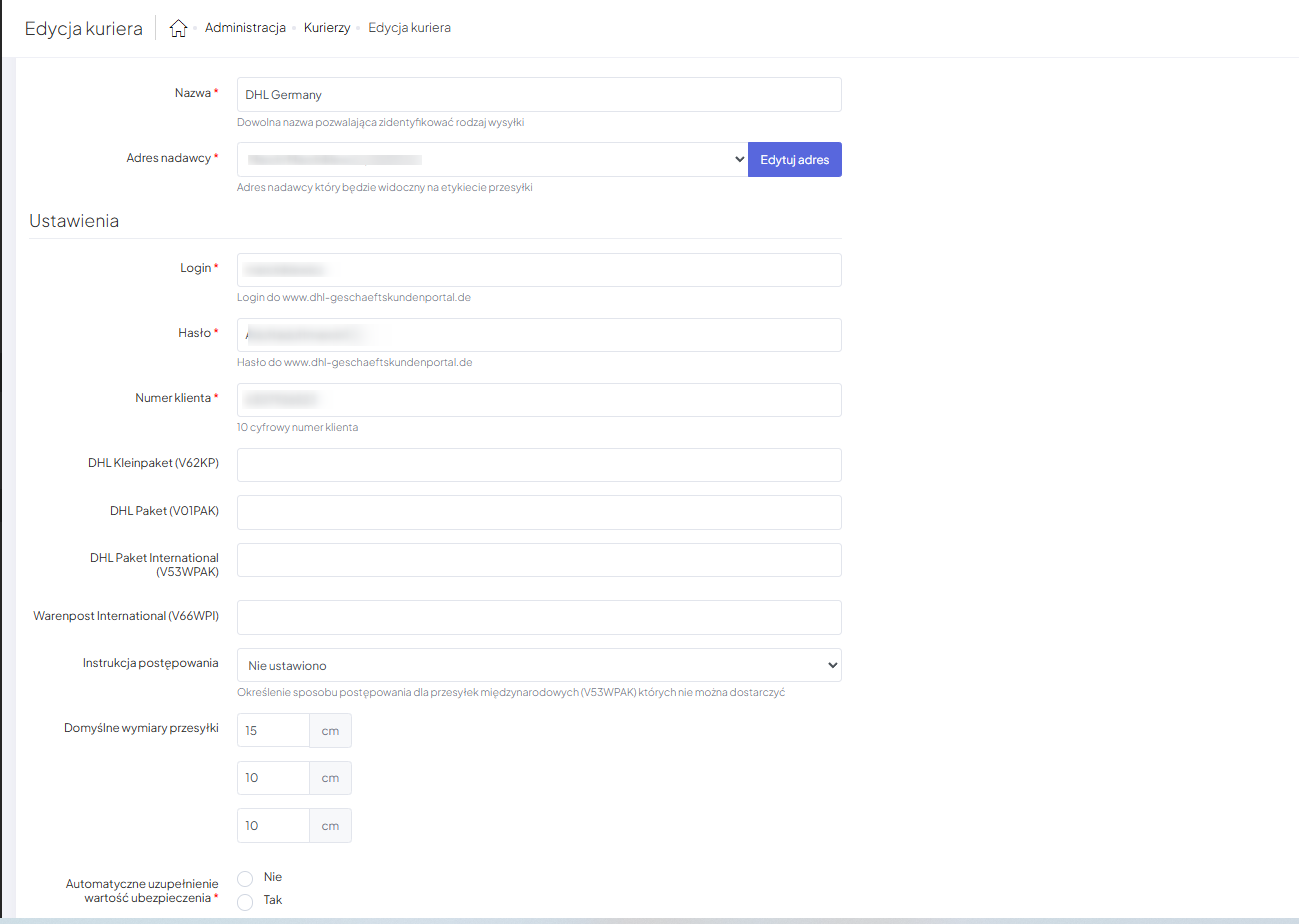
- After completing the above steps, you will be redirected to the courier details – at this moment, Apilo will verify the entered data and inform you of the connection status. In case of an error, please check the accuracy of the data.
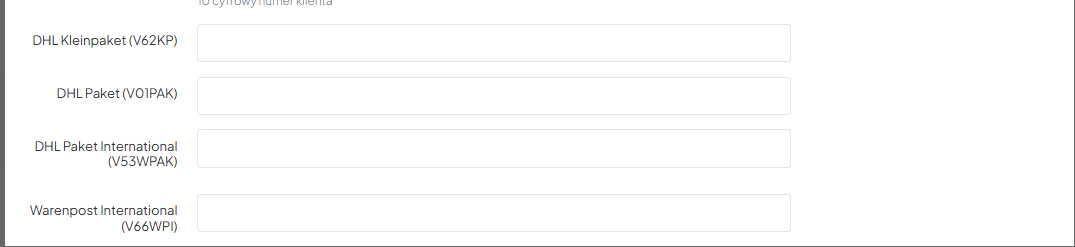
Attention! The following columns must be completed according to the data in the agreement with DHL, based on the 12-digit code where the last 2 digits are the last 2 of the current 4-digit code, the first two are the service code e.g., warenpost international or kleinpaket, according to communication with DHL:
Important! To add a courier, you must have an account created and a signed contract with the respective courier. Adding a courier in Apilo is an integration with the respective system and does not create an account with the given courier.
Multiple Shipping Points:
If several courier integrations are connected to Apilo, the system will automatically assign the main sender address for all couriers. If you want to use multiple different shipping points, duplicate the existing address in the Sender Address edit field, and then edit the copy’s position:

You only need to add the list of shipping addresses once.
When adding another / editing the existing integration, you can choose the sender address used for it from the previously added addresses on the list:
This guide has been translated using AI-powered tools.
Still need help?
Talk to a support agent
