


Welcome to the Apilo Help Center.
Connection to the eBay account
Contents
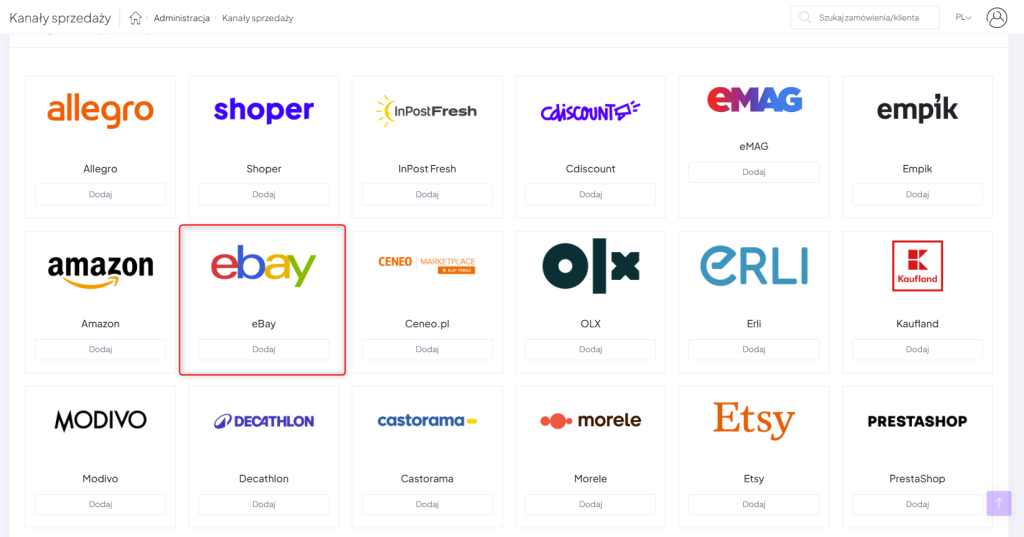
How to connect your eBay account ?
- Log in to Apilo as Administrator.
- Go to the tab Administration -> Sales Channels. Search the eBay list and click the Add.

- Fill out the form:
- customer zone – whether to generate a link to the form summarizing the order. The link can be automatically sent to the customer after configuring the notification templates;
- name – any name (description) of the account;
- alias – a 2-letter abbreviation from which the order numbers for this channel will start, e.g. ER;
- zero stock on auctions – if the product in stock has a quantity of 0, the auction will not end. The auction will be visible with an inventory of 0 items;
- information forwarding – enable if, after generating a label by Apilo, the order in the eBay panel should receive a tracking number and status.
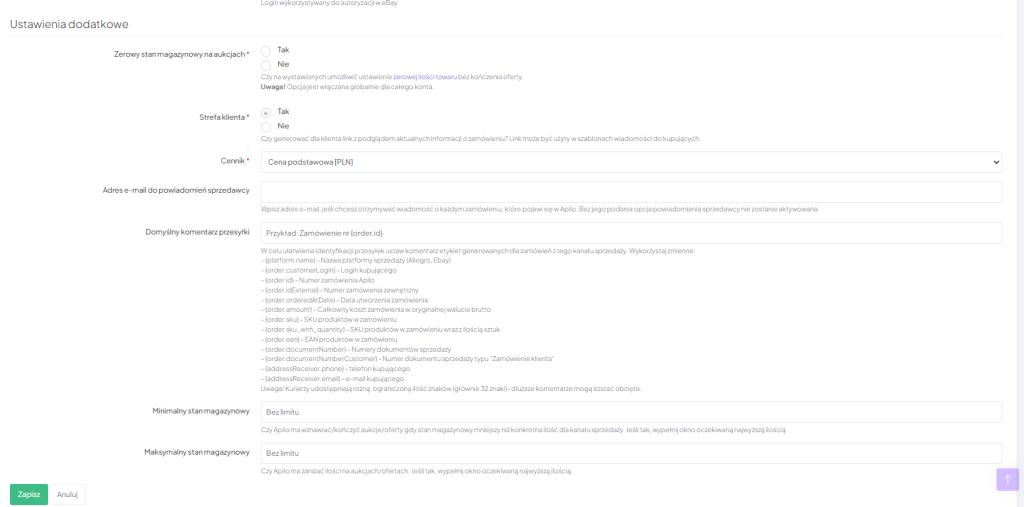
4. Save the form, and on the next screen click the button “Authorization”.
5. Log in to eBay and confirm access authorization.
Important: Apilo will verify the entered data and inform you of the connection status. In case of an error, please check the accuracy of the data.
Customer Notification TemplateSelect the template set based on which the customer will receive notifications about the order fulfillment status. Templates should be configured in the tab: Administration -> Message Templates. More in the guide: Emails to customers and message templates.
New Email
Email account – set the email from which automated messages will be sent using notification templates. You can add a new email in the tab: Administration -> Mailboxes.
What to do after connecting the account? Create a shared product inventory: click!
This guide has been translated using AI-powered tools.
Najczęściej zadawane pytania
Still need help?
Talk to a support agent
