


Welcome to the Apilo Help Center.
Connection to Subiekt GT – Sellintegro connector
Contents
General information: Connecting the Apilo platform with the ERP system Subiekt GT automates the exchange of key commercial data. Thanks to this process, information about orders, current inventory levels, and sales documents (receipts, invoices) are synchronized without user involvement. The system also independently takes care of importing orders and creating records for new customers in Subiekt.
Requirements necessary to run the integration:
- Downloaded and configured Subiekt GT program;
- Free license for a position in Subiekt GT: The Sellintegro plugin must be able to occupy one free position (license) in the Subiekt GT system;
- Free license for the Sfera for Subiekt GT: The Sfera module for Subiekt GT is necessary, allowing other programs to access the Subiekt database. Only one Sfera license is needed regardless of the number of Sellintegro integrations;
- Access to SQL database: The username and password to access the SQL database are necessary (by default, this is often the user “sa”);
- Active Plus extension (optional): To handle document flags and WSTO (Intra-Community Supply of Goods), a green or red PLUS for Subiekt GT may be required;
- Endpoint – The Sellintegro plugin must be installed on a computer that has access to the Subiekt GT database;
- A stable, wired internet access is required (mobile connections are discouraged due to stability)
More information regarding the requirements including. equipment available is on the Sellintegro page at the link: htt.ps://pomoc.sellintegro.pl/dok/.
Full documentation regarding integration can be found on the official Sellintegro page at the link: https://pomoc.sellintegro.pl/SGT-APL/.
Configuration of Subiekt GT using the Sellintegro plugin in Apilo:
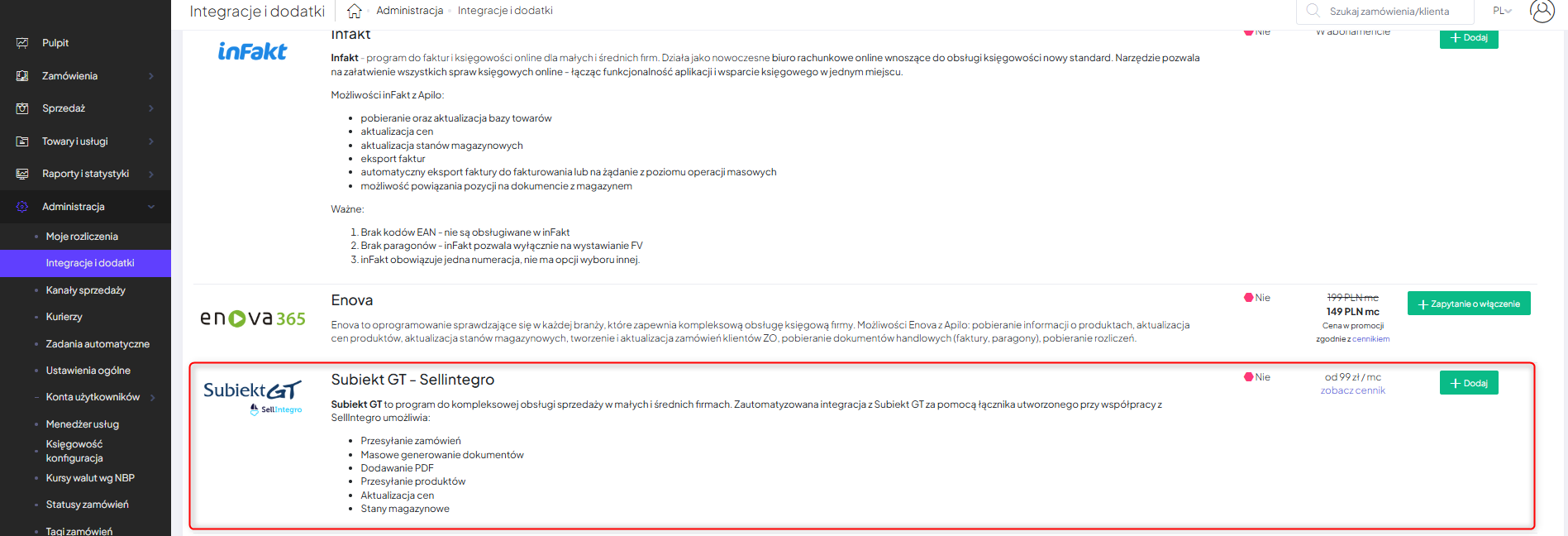
- Go to the Administration > Integrations and Add-ons > Warehouse and Accounting Programs tab;
- Find in the list Subiekt GT – Sellintegro and click the Add button:

Configuration on the Sellintegro side:
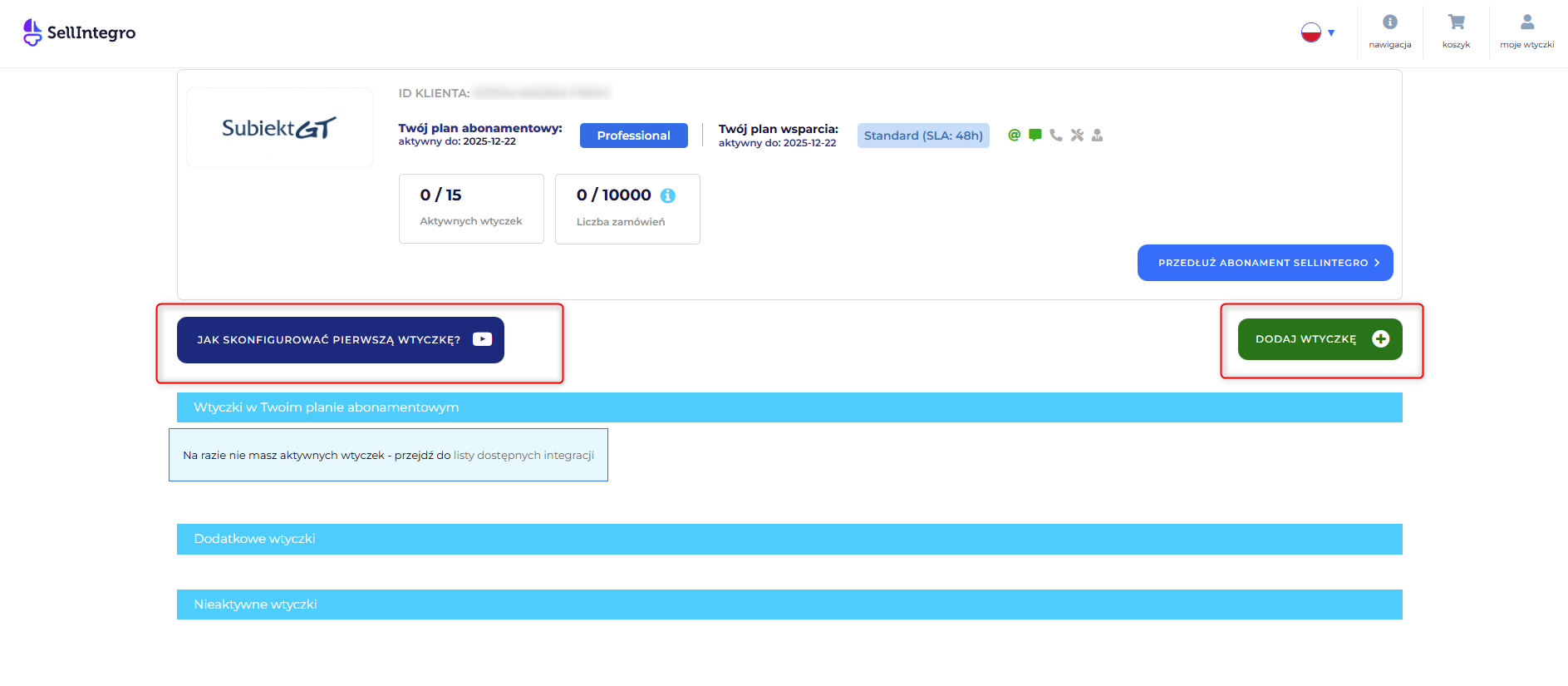
- go to the Sellintegro page and click the “Add Plugin” button. We recommend first running the guide on the page titled “How to configure the first plugin?”

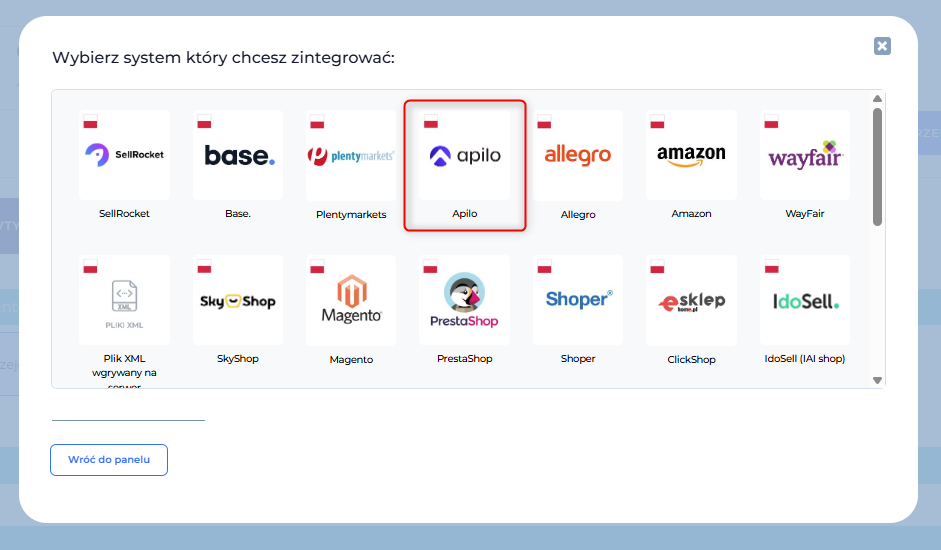
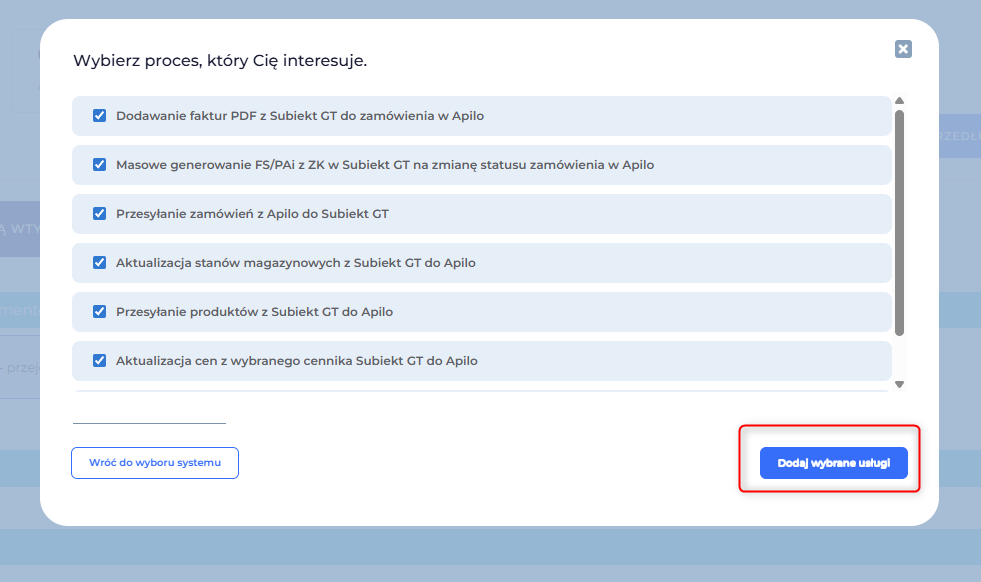
- from the list of systems select Apilo and the process you are interested in and click: “Add selected services”:


- a message about service configuration will appear;
- then select the module for configuration. Remember that each configuration must be done separately:

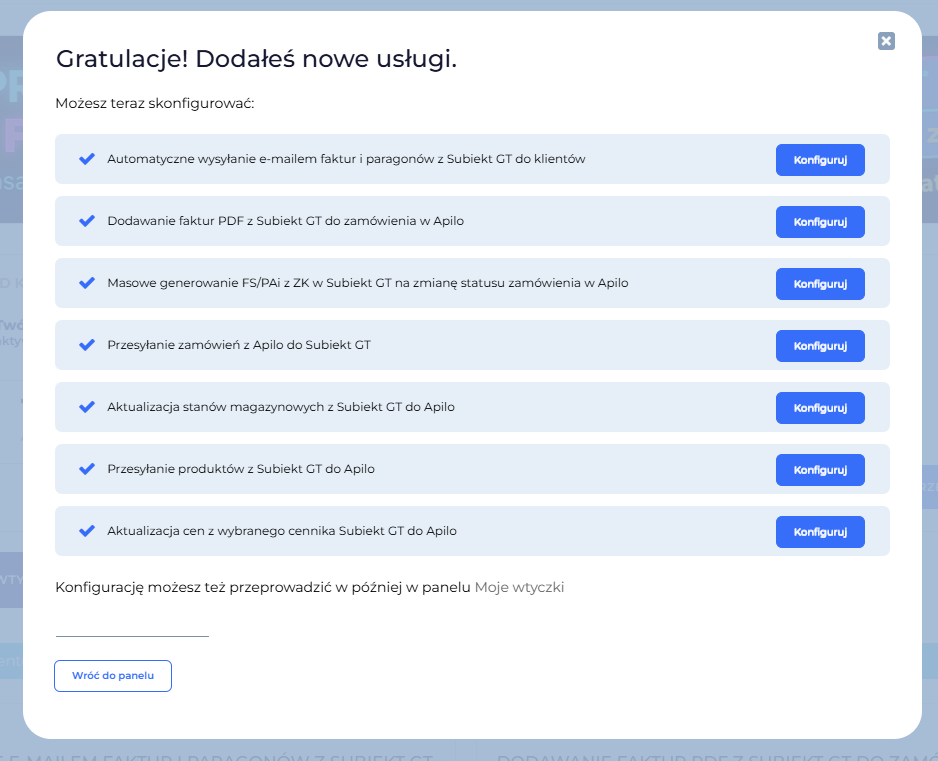
Configuration of modules:
- For each module that requires a connection with Apilo, an API Key must be generated;
- The API code, client_secret is only valid for 3 hours, during which time an access token must be generated, which after generation requires only refreshing;
- API authorization occurs using an access token valid for 21 days. Upon expiration (or before) the access token must be renewed using the refresh token (valid for 2 months). To download access and refresh tokens, a new application must be created in the Apilo system in the Administration/API Apilo tab;
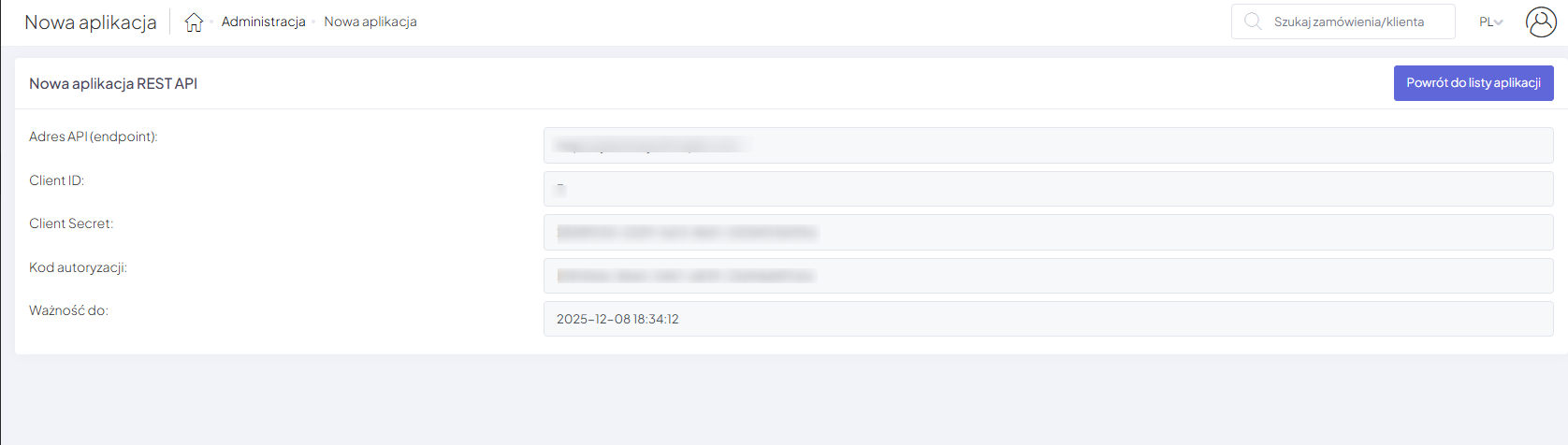
- After creating the application, the authorization_code and client_secret are provided. This data is used to connect the application and generate tokens and refresh them. This is a standard access procedure to the API according to security rules;
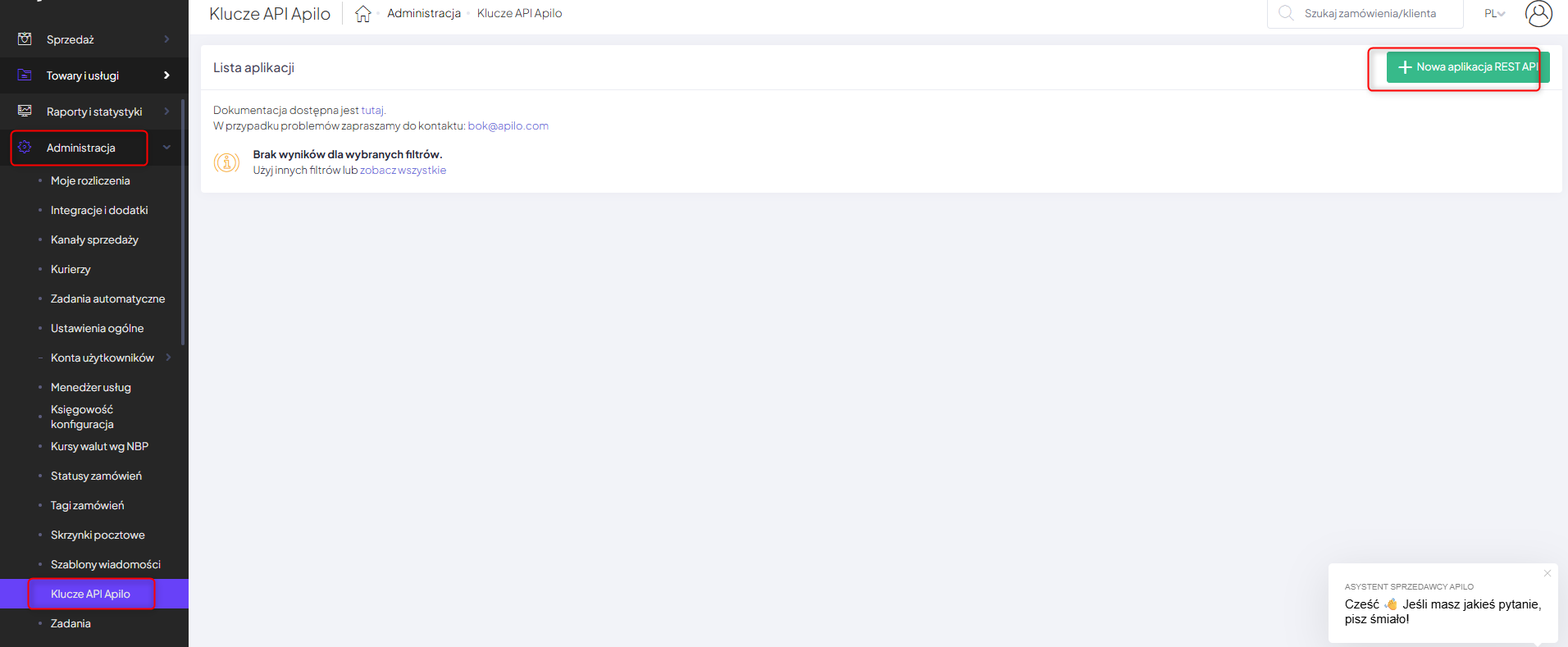
- To do this, you need to select the Administration – Api Keys Apilo – New Rest API application tab in Apilo:
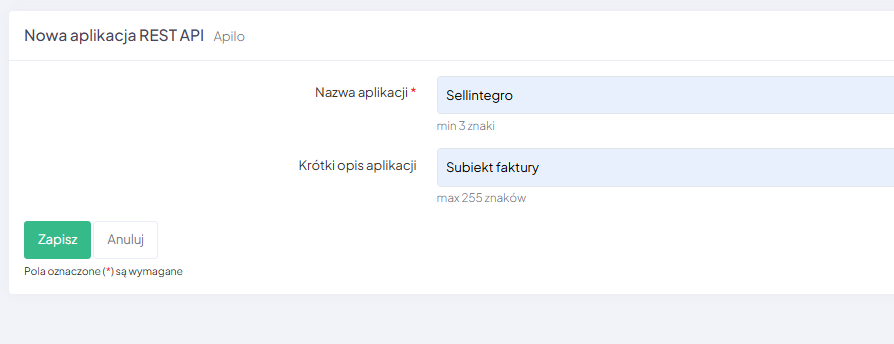
- Next, a window will appear for entering the name and a short description, so that it can be easily and quickly identified which API is connected to the given module:
- Client ID, Client Secret, and authorization code necessary to run the plugin will be generated:
Note! The configuration is informational in nature. All settings should be adjusted according to your own preferences.
Tips:
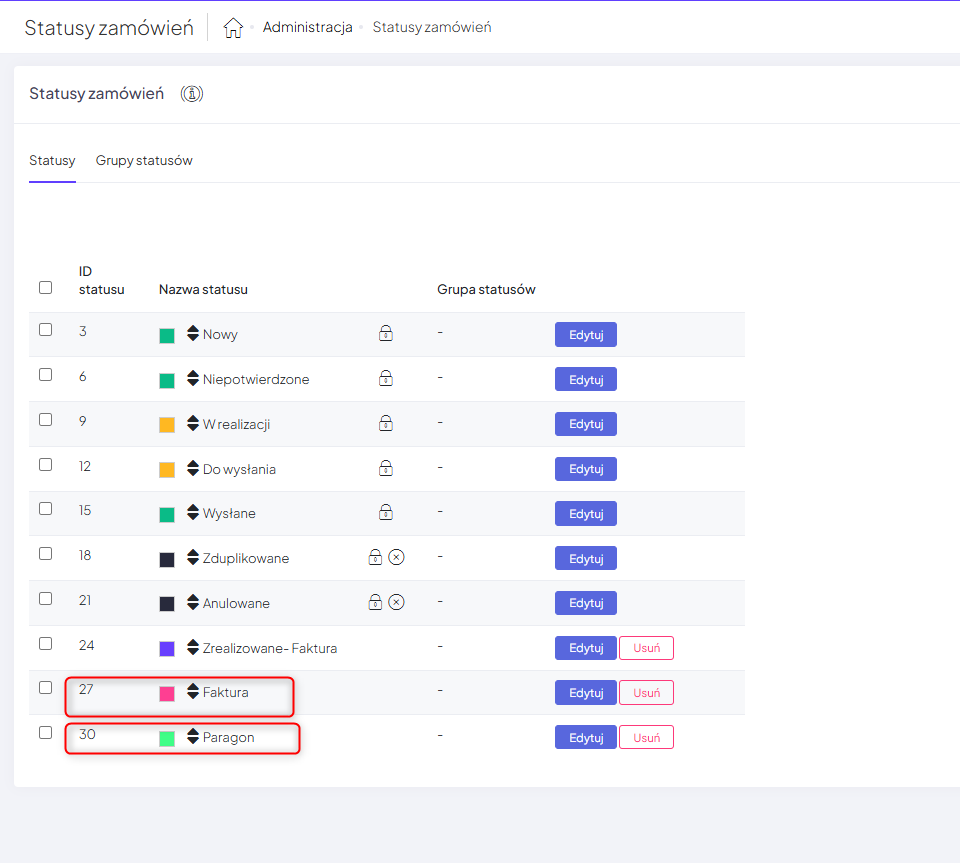
- For the purpose of connecting integration with Subiekt GT, use the statuses and groups of statuses created on your account in Apilo. You can create new statuses and organize them into appropriate groups. The instructions are available at the link.
- in each module:
– set how many days back you want to process orders;
– specify whether to process orders existing before configuring the integration;
– specify whether you want the integration to start automatically.
Adding PDF invoices from Subiekt GT to an order in Apilo:
- The plugin allows you to synchronize product data between the source system (ERP) Subiekt GT and the target system (E-commerce) Apilo. It is tailored for self-configuration based on a scenario composed of a series of questions. The plugin enables you to upload a PDF file of a document that was issued in the Insert Subiekt GT system and attach it to the source order in the Apilo system. Thanks to this plugin, customer service has direct access to the document without the need to search for it in the invoicing system, and furthermore, the end customer can be automatically notified when an invoice or receipt is issued for their order.
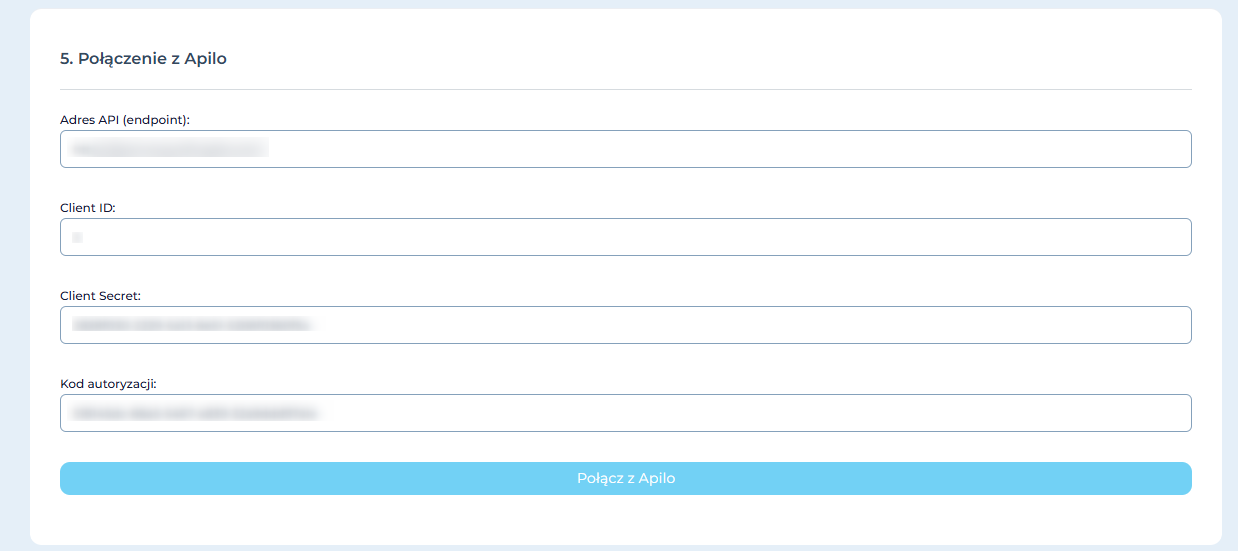
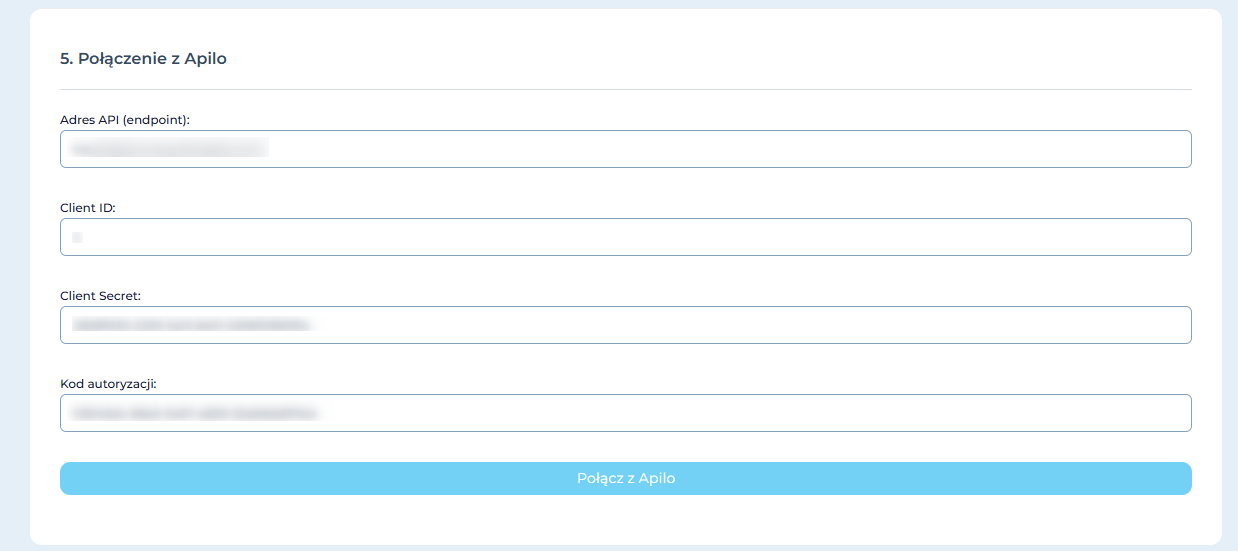
- In the module configuration, enter the generated data from the Rest Api Application from the Apilo panel and click: “Connect to Apilo”.

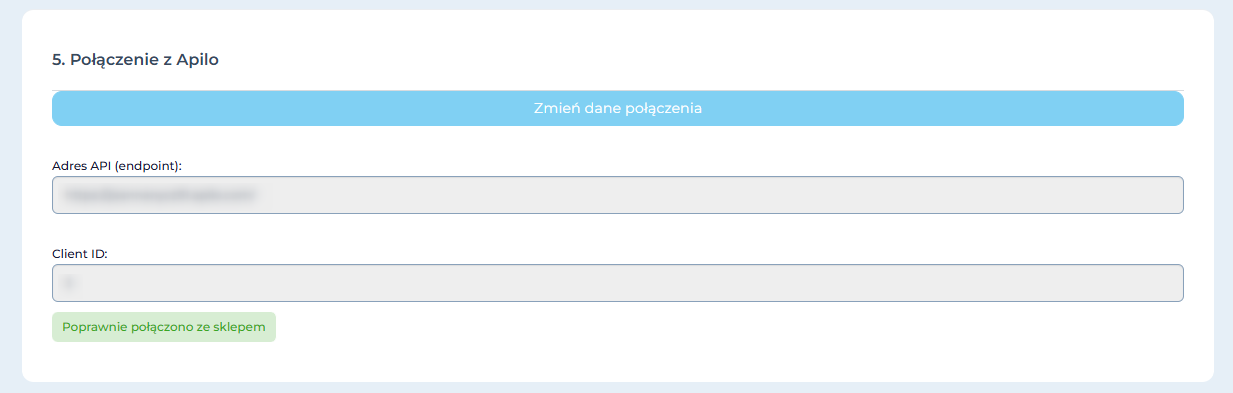
- With the correct data entered, a message will appear: “Successfully connected to the store”.

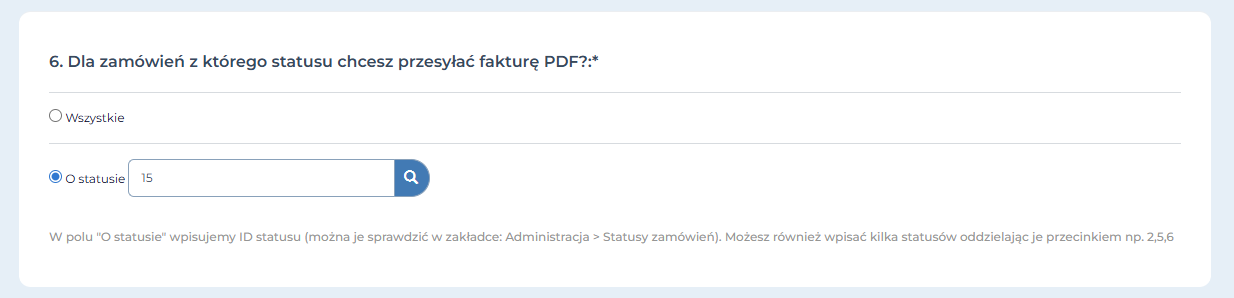
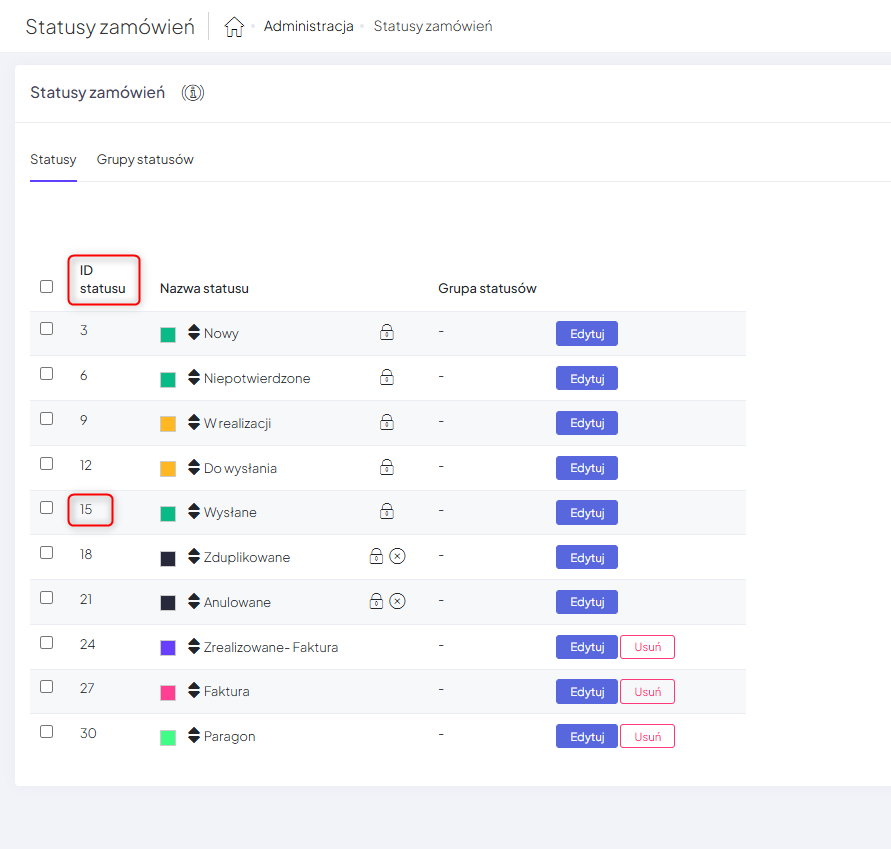
- Specify for orders from which status in Apilo you want to send the PDF invoice (below is an example of configuration):


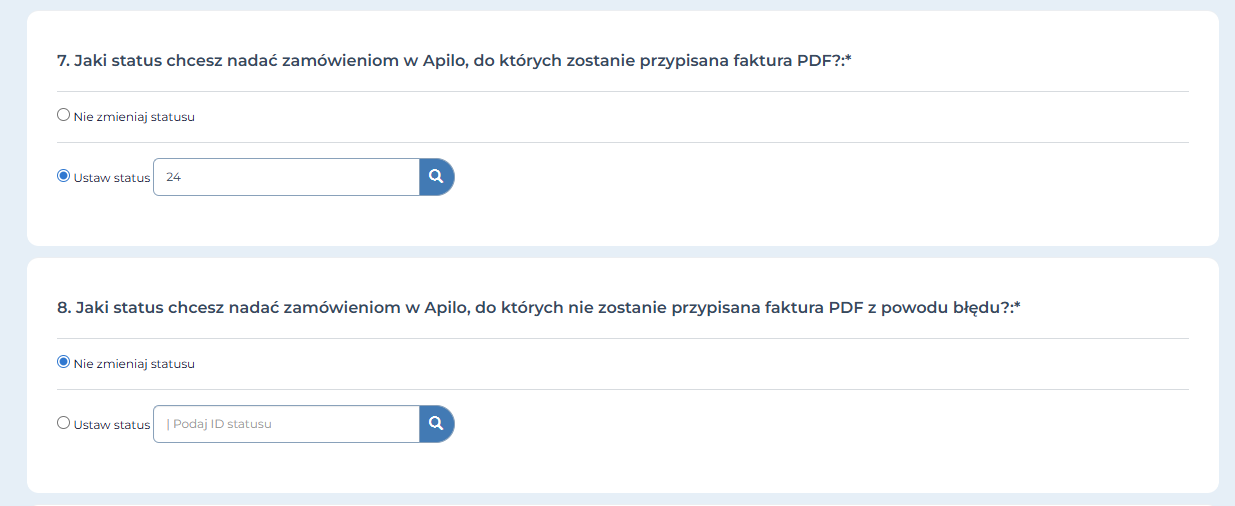
- Next, determine what status you want to assign to the orders in Apilo to which the PDF invoice will be assigned and those to which the PDF invoice will not be assigned due to an error (in each case you can either keep the status unchanged or set it analogously as mentioned above);
- Next, specify which documents from Subiekt GT should be sent:


- Configure the next points of the module according to your own preferences and save the configuration;
- The system will check if the configuration was saved correctly. If an error is detected at any point, it will inform you with a message and indicate the location of the irregularity;
- After entering the correct configuration data, a message will appear indicating that the configuration was successful;
- You can find more information about the module on the page: https://pomoc.sellintegro.pl/SGT-APL-INV/.
Mass generation of FS/PAi from ZK in Subiekt GT for changing order status in Apilo
- The plugin allows you to generate sales documents in the target system (ERP) Subiekt GT based on an existing order in the system from the client (ZK). The document generation process is based on changes in status in the source system (e-Commerce) Apilo. The plugin enables you to print and fiscally process the created documents, completely automating the sales document issuance process. The integration processes ZK, in which the original number contains the prefix B_order number, assigned by the plugin ‘Sending orders from Apilo to Subiekt GT’ or may be placed there manually. It is designed for self-configuration based on a scenario composed of a series of questions. More information can be found on the page: https://pomoc.sellintegro.pl/SGT-APL-GDC/;
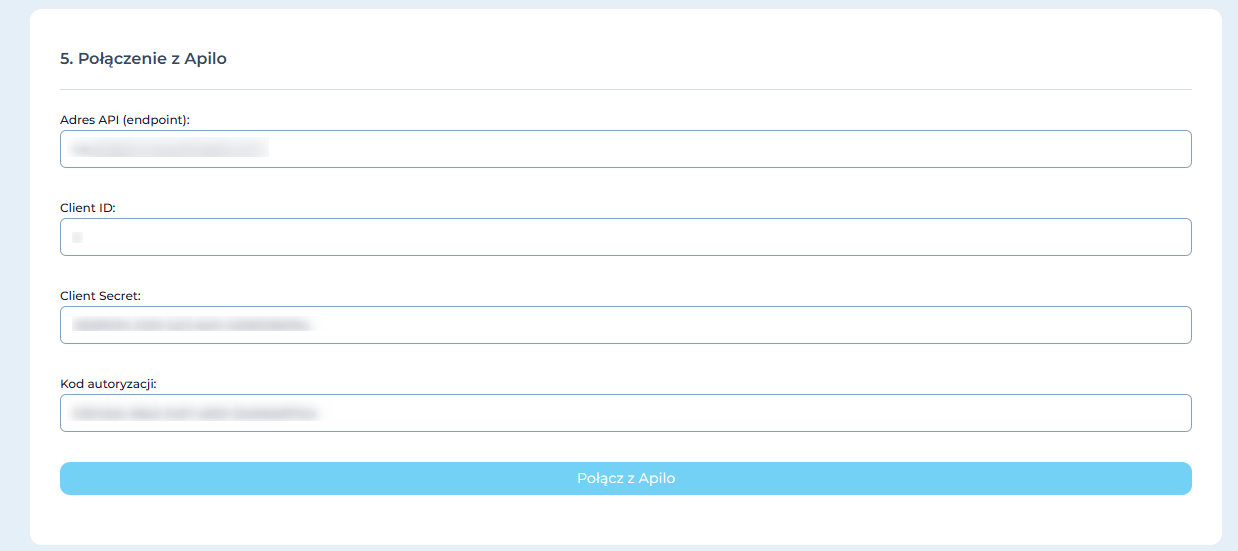
- enter the generated data from the Apilo Rest Api application panel and click on ‘Connect with Apilo’ – remember that these must be newly generated data in Apilo:
- then specify the next steps in the module configuration according to your preferences.
- check and save the configuration
Sending orders from Apilo to Subiekt GT:
- The plugin allows you to generate orders from clients or directly sales documents in the target system (ERP) Subiekt GT based on an order in Apilo. The document generation process relies on data present in orders in the source system (e-Commerce) Apilo. The plugin enables you to create documents that reserve stock for the duration of order processing by the warehouse (ZK), has functionality for mapping products and contractors between systems, and the ability to create new records when they are not found. It is designed for self-configuration based on a scenario made up of a series of questions. More information about module configuration can be found on the page:https://pomoc.sellintegro.pl/SGT-APL-ORD/ ;
- enter the generated data from the Apilo Rest Api application panel and click on “Connect to Apilo” – remember that they must be newly generated data in Apilo:
- then specify the following steps in module configuration according to your own preferences;
- check and save the configurations.
Updating inventory levels from Subiekt GT to Apilo
- The plugin allows you to synchronize product inventory levels between the source system (ERP) Subiekt GT and the target system (E-commerce) Apilo. It is designed for self-configuration based on a scenario composed of a series of questions. The plugin’s features offer you filtering of inventory updates concerning attributes, activities, and product tags such as “Online store item.” The plugin also ensures that the inventory level of a product changes during reservations and provides additional verification of the minimum or maximum inventory level based on custom fields. More information about configuring the module can be found on the page: https://pomoc.sellintegro.pl/SGT-APL-STC/;
- enter the generated data from the Apilo Rest API application panel and click on “Connect to Apilo” – remember, these must be newly generated data in Apilo:
- then specify the following steps in module configuration according to your own preferences;
- check and save the configuration.
Transmitting products from Subiekt GT to Apilo
- The plugin allows you to synchronize product data between the source system (ERP) Subiekt GT and the target system (E-commerce) Apilo. It is designed for self-configuration based on a scenario composed of a series of questions. The plugin enables you to update the product database with new records when they are added in ERP. The plugin ensures that all information about the records is consistent between the systems. More information about configuring the module can be found on the page: https://pomoc.sellintegro.pl/SGT-APL-PRD/
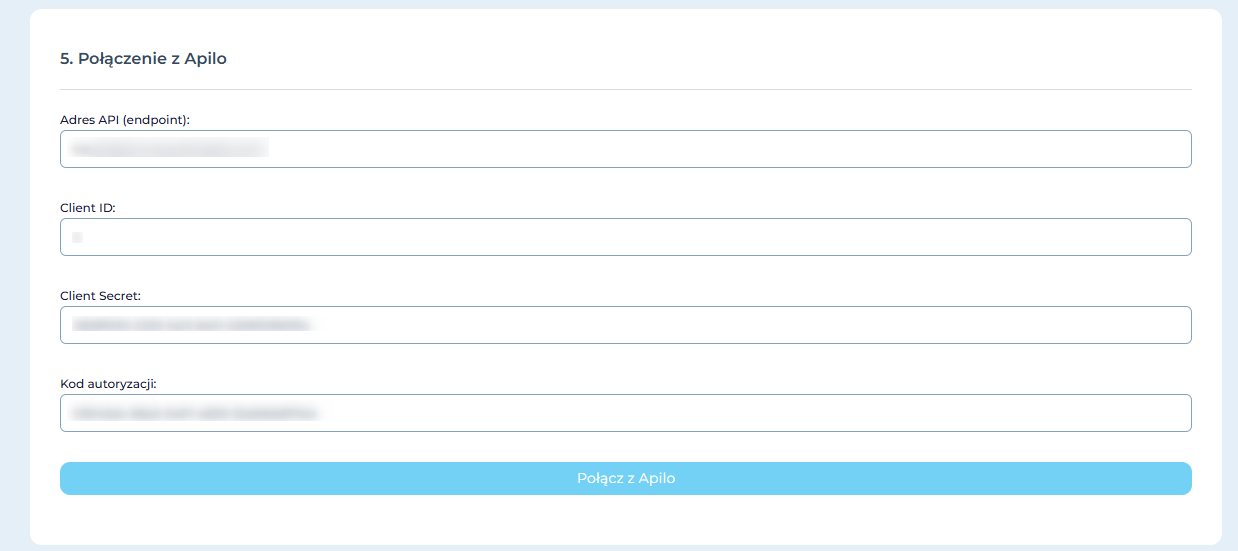
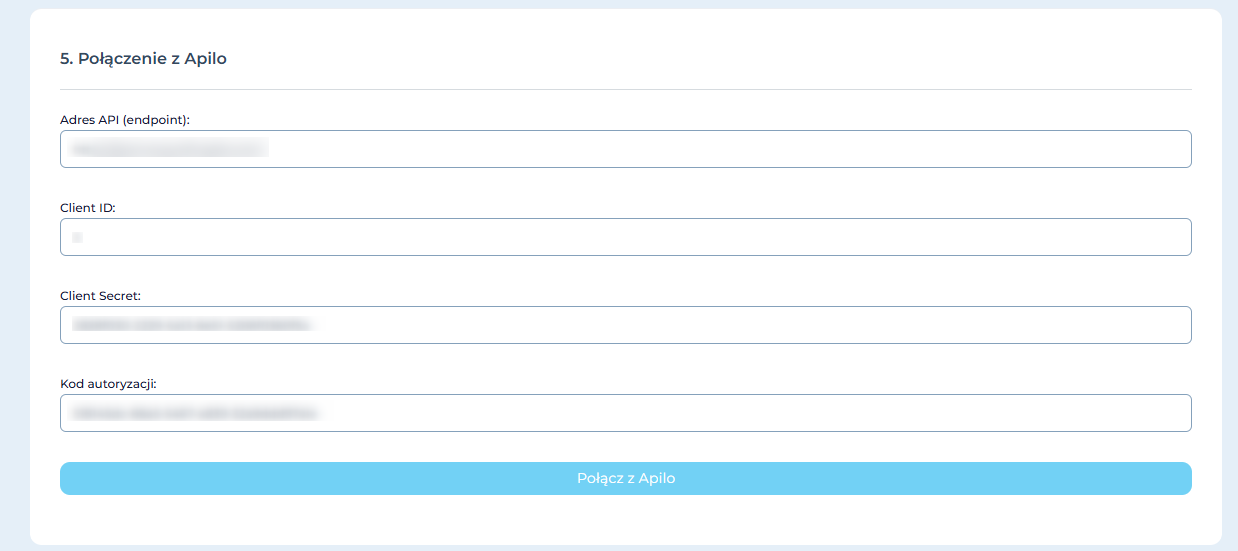
- Enter the generated data from the Rest API Application from the Apilo panel and click on “Connect to Apilo” – remember that this must be newly generated data in Apilo:
- Next, determine the following steps in module configuration according to your preferences;
- Check and save the configuration.
Updating prices from the selected price list Subiekt GT to Apilo
- The plugin allows you to synchronize selected product prices between the source system (ERP) Subiekt GT and the target system (E-commerce) Apilo. It is designed for self-configuration based on a scenario made up of a series of questions. The plugin enables you to send and update product prices when they are added in the ERP system. The plugin ensures that all prices are consistent between systems and automatically updated in Apilo. You can find more information about module configuration on the page:https://pomoc.sellintegro.pl/SGT-APL-PRC/;
- Enter the generated data from the Rest API Application from the Apilo panel and click on “Connect to Apilo” – remember that this must be newly generated data in Apilo:
- Next, determine the following steps in module configuration according to your preferences;
- Check and save the configuration.
This guide has been translated using AI-powered tools.
Still need help?
Talk to a support agent
