


Welcome to the Apilo Help Center.
Aliexpress – listing offers
Contents
Where to start?
Before you start listing offers/products on Aliexpress using Apilo:
- Create an account on Aliexpress and configure it according to the platform’s guidelines
- Add your Aliexpress account to Apilo as per the guide
- Familiarize yourself with the guide available at the link: click
- The article is available after creating an account on Aliexpress
- Add at least 1 product to the ‘Goods and Services’ bookmarks (more information is available in the guide: Import products https://apilo.com/pl/help/jak-stworzyc-wspolna-baze-produktow-w-apilo/)
Configuration on the Aliexpress side
Before you list your first product on Aliexpress, you must fully configure your seller account. This should be done step by step according to the guide available on the Aliexpress site: click
This is not just a matter of basic data, but also completing information required by the EU General Product Safety Regulation (GPSR).
According to this regulation, you are required to provide detailed data concerning:
- Brands of the listed products
- Manufacturer of these products
- Responsible Person in the EU designated for your products
Aliexpress must verify and accept all this data before you can list any offers.
If you sell on Aliexpress, you must provide the tracking number within 48 hours of the order being placed. If you do not do this, the order will be automatically canceled, and the buyer will receive a refund
How to create your own products in the Aliexpress database?
- Go to the Sales tab → Aliexpress → List
- Select at least one product and press the “Post” button – You can create up to 25 listings with one form.
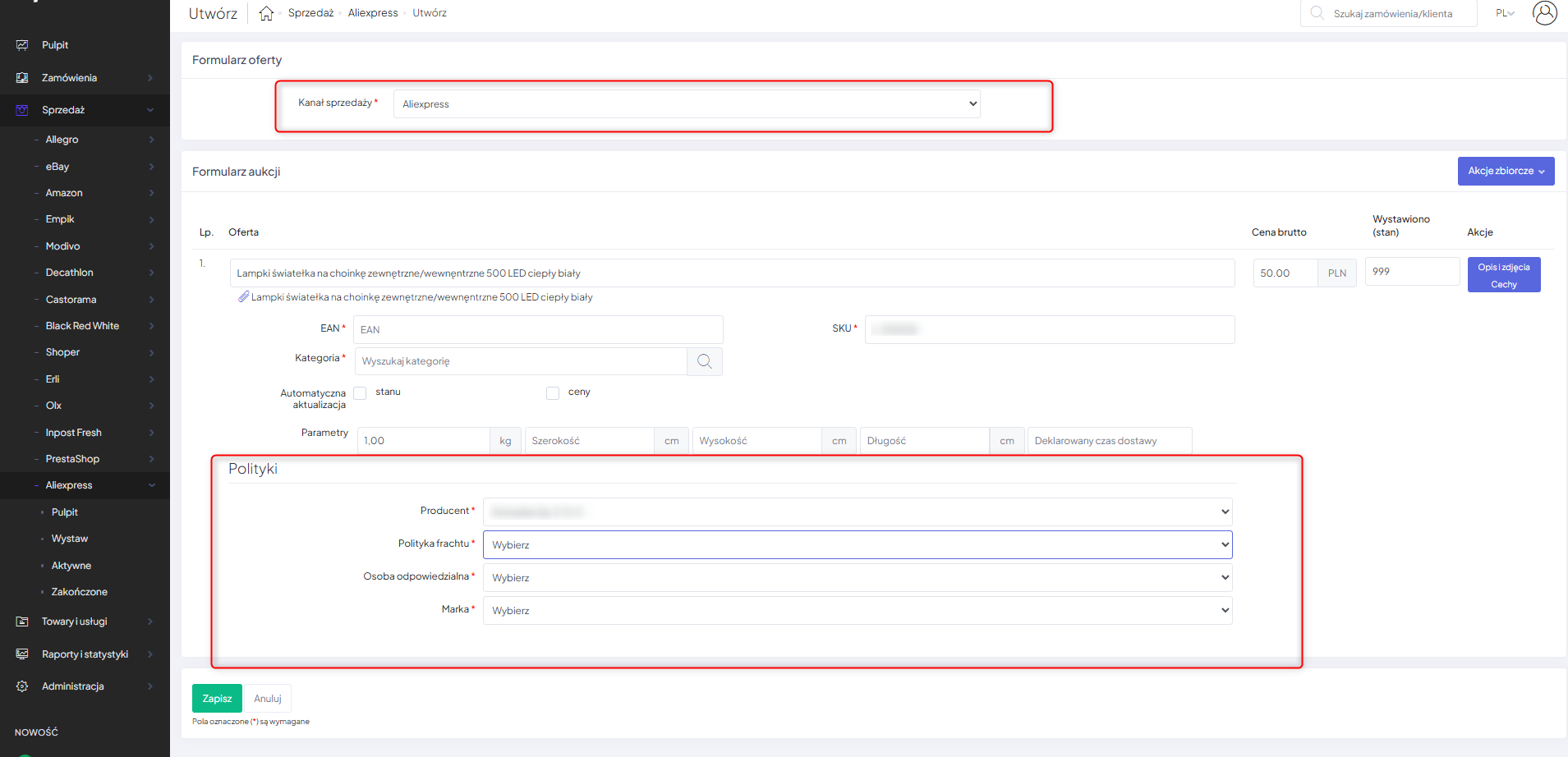
- In the offer form, set the sales channel to Aliexpress. This will display visible policies for completion:

- By clicking on the tabs “Description and images” and “Features”, you will expand additional elements to complete. The Features tab will be available after selecting a category.
- Optional: enable automatic stock updates so that quantities on Aliexpress change based on the availability of the related product and sales on other platforms.
- Click “Save”
- Listing a new product takes about 48 hours (that’s how long Aliexpress processes the creation of a new item). After that, go to the Sales tab → Aliexpress → Active to verify whether the product has been listed correctly
WARNING!
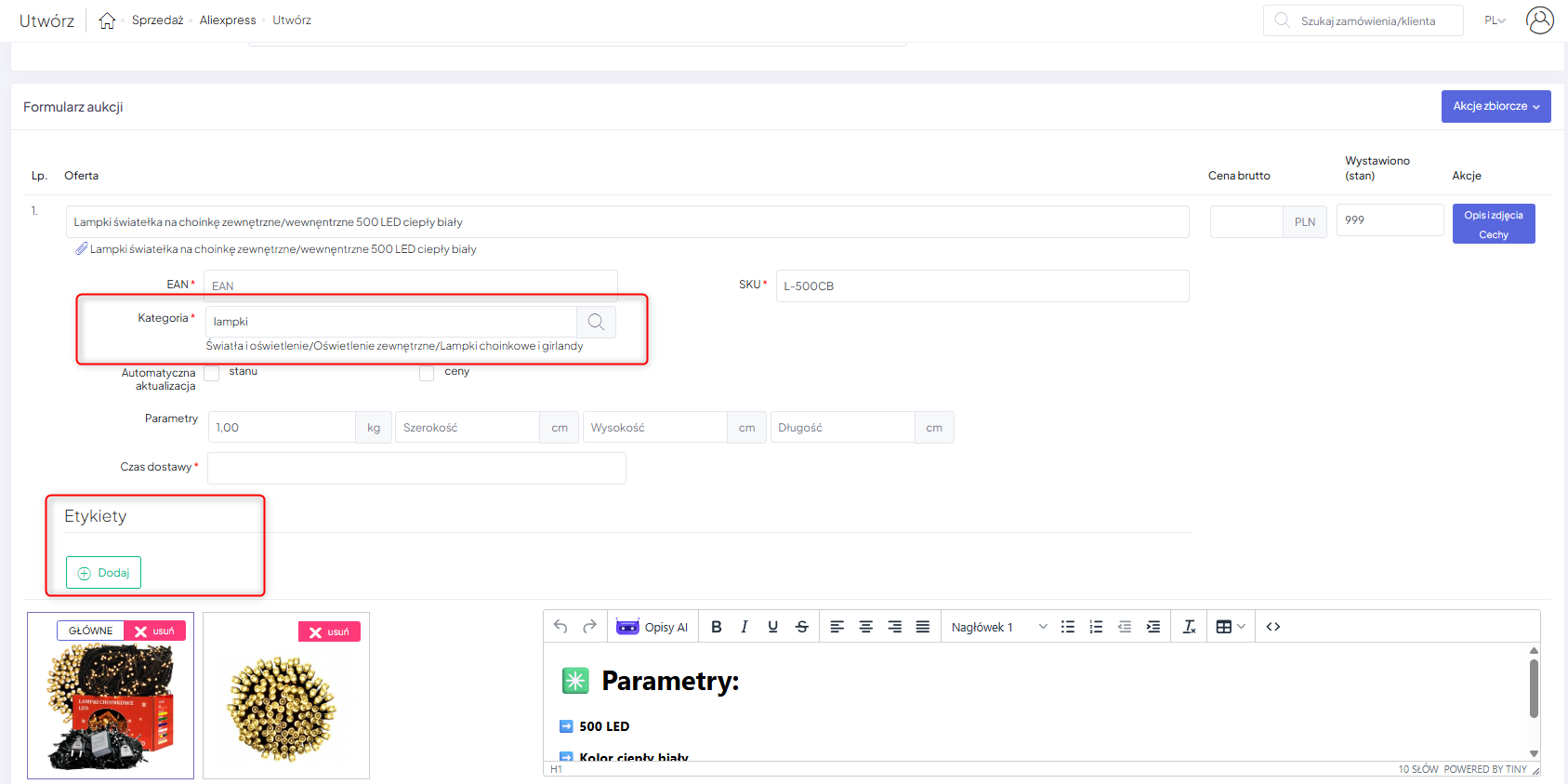
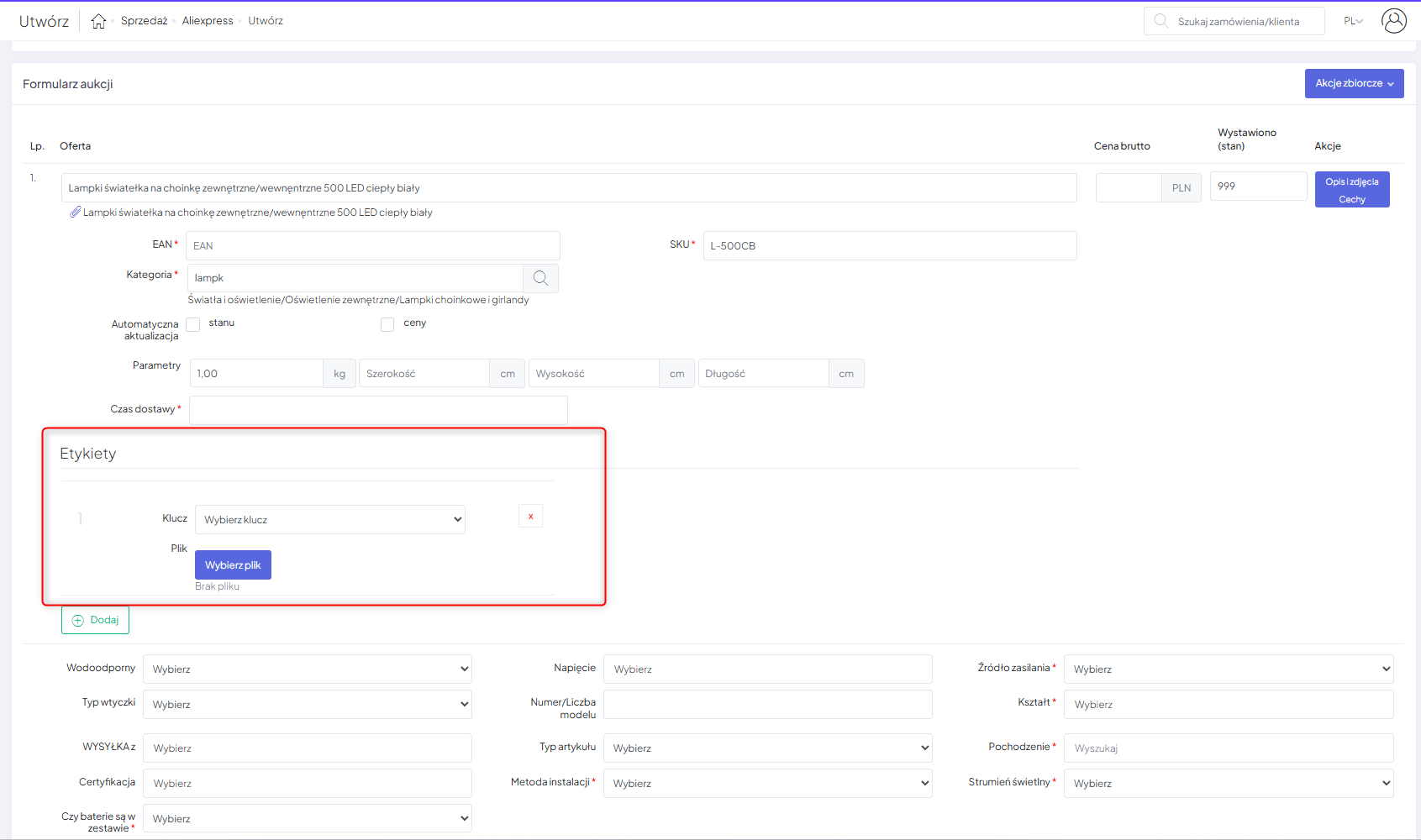
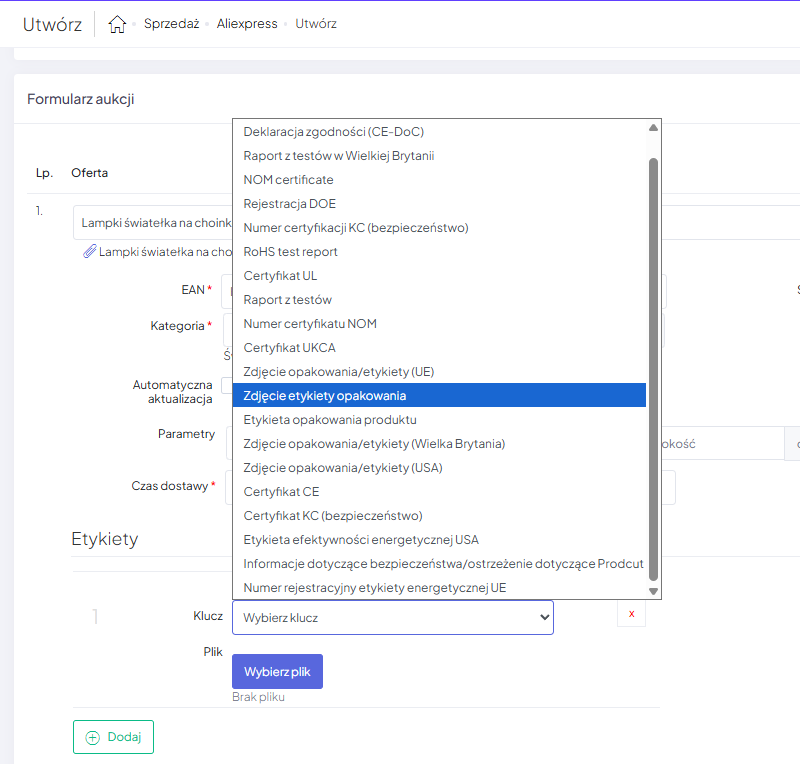
To sell products in EU countries,you must attach an image of the outer packagingto each offer. This is a requirement resulting from EU regulation.
Similarly, if you sell electronics,it is mandatory to add images of energy labels..
Remember that the absence of appropriate packaging images (or energy label in the case of electronics) can lead to sales being blockedwithin the EU.
To add the required images in the listing form, first select the product category, and then the “Label” field will appear:
This guide has been translated using AI-powered tools.
Still need help?
Talk to a support agent
